Aug 30, 2011

Android 2.3.3 + ROOT on Galaxy Tab P1000

http://cdn.emoiz.com/wp-content/uploads/2011/02/Samsung-P1000.jpg?409ce9

Android 2.3.3 + ROOT on Galaxy Tab P1000

Android Phones - Installing Application

Android Phones - Installing Application

Many users asking about to install application into Android phones. here is a small tutorial. read this carefully so u ll learn how to do


How to Install Applications


To install applications using Android Market perform the following steps:
  • Open the Android Market application in the Applications menu.
  • You can select any option - Applications, Games, Search or My Downloads based on what you want to do. You will then get a list of applications or games to choose from.
  • You can also search for any particular application. You will then get a list of apps with their description and rating.
  • Click on the application you want and you will get more details of that application - the number of downloads and user comments.
  • To install it, just click on the Install button on the bottom of the screen.
  • In the next screen, it will give you more details about the application including the different functionalities it will need to access. Just click on OK to finish installing the application.

Using the Android SDK

There is one more method that can be used, you can install APK files into your phone using the Android SDK. Download the Android SDK.
First of all, install the Android SDK on your computer. You will also need to install the Android USB drivers to connect the SDK to your phone via USB. You can download it from here - USB Driver for Windows | Android Developers .

To install applications from other sources, you also need go to Settings -*gt; Application Settings and enable Unknown Sources. Also go to Settings -*gt; SD Card and Phone Storage -*gt; Disable Use for USB Storage. You can enable it again later.

Next, just open Command Prompt and type: adb install path/file.apk
where path is the full path to the APK file and file is the name of the APK application file. Your application is now installed. This is all you need to do, now just open the application on your phone and use it.

Using the Application

You can rate and even leave a comment on the Android Market about the application.
To access the application, just go to your Menu and select the application you want to launch.
To check a list of all the applications you have downloaded, open up Android Market again and select the My Downloads option.
Check out some cool Android applications to install.

How to Remove Applications

To uninstall applications that you installed using the Android Market:
  • Open the Google Android Menu.
  • Go to the Settings icon and select Applications.
  • Next, click on Manage.
  • You will be presented with a list of applications you have installed.
  • Select the application you want to uninstall, and click the Uninstall button.

Android PC Suite v1.7.8.229

Android PC Suite v1.7.8.229


Android PC Suite - has been developed by the Pandaap team to provide all the Android users a free and very good alternative to other Android applications. It fully supports all the phones running with Android OS. Main features include:
- Windows XP/Vista/Win7 64 OS support
- Import/Export contacts
- Back up call logs/SMS
- Download wallpapers, ringtones, themes and software
- Convenient and practical RSS subscription
- Log off and Reboot
- Good UI performance
- Phone process and system registry management
- Software installation, uninstallation and management
- Calendar and schedule management
- Caller location inquiry


Letitbit:

Android PC Suite v1.7.8.229.rar ~ 37.7 mb

Deposit:

Android PC Suite v1.7.8.229.rar ~ 37.7 mb

Turbobit:

Android PC Suite v1.7.8.229.rar ~ 37.7 mb


PS: Archive contain drivers for USB Android x86/64, and instruction for how to change language interface to english, chinese or russian.
[/COLOR]
[/COLOR]

hard reset samsung i5500 100% working

http://www.beritateknologi.com/wp-content/uploads/2010/06/Ponsel-Corby-Android-i5500-Galaxy-5.jpg

reset i5500 it's no so sample

-first u need to download adb (android debug bridge)MEGAUPLOAD - The leading online storage and file delivery service
adb.rar

-then copy the two files in to windows\system32
-power on the phone the phone and setup the drivers
-open cmd and type *quot;adb reboot recovery*quot;
-the phone will reboot and enter in recovery
-select wipe data adn then reboot

New android phone hardware reset only here

NEW ANDROID PHONE HARDWARE RESET ONLY HERE


T-Mobile Samsung Exhibit 4G SGH-T759 Hard Reset/Wipe Data Factory Reset Procedure


Here's a step by step guide on how to Factory Reset the Samsung Exhibit 4G by T-Mobile. This may help if having unwanted issues using the phone like, freezing, hang on logo, become laggy on some applications etc. And or if you just wanted to restore it back to it's original factory default settings.

Note: This process will wipe all data stored on the phone. Just make a back up copy of all important data store on the phone (use any back up application from android market) before proceeding.


Factory Reset from menu settings:

- On the main home screen,
- Tap Menu
- Tap Settings, then Privacy
- Tap Factory data reset
- Tap Reset phone
- Tap Erase everything to confirm

Samsung Exhibit 4G Hard Reset by button combination:
This can be done if the phone is frozen or just stuck on logo.

- First turn power off or pull the battery out and reinsert it back again
- Hold the Volume Down button then Press and release the Power button
- the device will boot into recovery mode
- Just select Wipe data/factory reset.

Then your Samsung Exhibit 4G will then reboot to factory fresh default settings.
more??
link here..
http://www.dhakamobile.com/showthread.php?t=66945

Aug 29, 2011

Mkey v5.0.0 Build 28.AUG.2011


Dear users! do not mistake IMEI changer and IMEI Repair! we not produce IMEI changer because this is Illegal and the are Criminal !

We make direct IMEI repair! This method working for Repair IMEI after JTAG or deffective or failure software in your modems !!!


We also inform you about what we do not accept any responsibility for you for the damage
you harm or loss as the first and third parties!


Many boxes have world first , but now we say - The One!


Goodbye JTAG - Half dead modems can be easy repair by Mkey NOW!


Mkey SmartFlasher Tool avariable now for beta-tester!.


Mkey Smart-Flasher Features:


• Easy Flashing ZTE modems with denied DL mode by one click. World First!

• Repair without JTAG half/dead modems what stay on Download Mode! World First!

• Downgrade/Upgrade/Rebrand modem firmware! World First!

• Repair errors in Encrypted File System World First!

• Repair/Recovery NVM, EFS, AMSS, DBL, OSBL, FSBL and other firmware parts by one click World First!

• Unlock modems with customized firmware by upgrade to other! World First!

• CPU Support for MSM6246/MSM6290 , QSC6240/6270 World First!


Note! Mkey-SmartFlasher option be payed addon, all other rest of all known features free for all Mkey users.


Features:

• Direct Unlock

• NCK-Flashing Code calc

• SPC Code read in 15 secunds

• Clear Input Code counter

• Read/Write NVM - World First & One!

• Repair Network - World First & One!

• Voice Call activations

• Auto - detect Model

• ZTE Modems ISO Flasher/Dumper

• ZTE Modems Enable/Disable autorum for models with All CPU

• Easy interface to use

• Fast Unlocking modem with custimised firmwares 2 secund! - World First & One!

• Direct Repair IMEI - World First & One!

• All Operation no need more thet one DIAG Port ! - World First & One!


ALCATEL [Unlock Code Calculator by IMEI]

01. - Alcatel x020
02. - Alcatel x030
03. - Alcatel x060
04. - Alcatel x070
05. - Alcatel x080
06. - Alcatel x100
07. - Alcatel x200
08. - Alcatel x210
09. - Alcatel x215
10. - Alcatel x220
11. - Alcatel x225
12. - Alcatel x228

with all indexes at 'S', 'L', 'X'...


HUAWEI [Unlock + reset Counters+Voice activation + Unlock Code Calculator by IMEI]

01. - Huawei E155
02. - Huawei E156/E156C
03. - Huawei E155X
04. - Huawei E156X
05. - Huawei E156G
06. - Huawei E160
07. - Huawei E160E
08. - Huawei E160G
09. - Huawei E161
10.- Huawei E166
11.- Huawei E166G
12.- Huawei E169
13.- Huawei E169G
14.- Huawei E170/170G
15.- Huawei E171
16.- Huawei E172/172G
17.- Huawei E173
18.- Huawei E176
19.- Huawei E180
20.- Huawei E180S
21.- Huawei E180G
22.- Huawei E181
23.- Huawei E182
24.- Huawei E182E
25.- Huawei E196
26.- Huawei E216
27.- Huawei E219
28.- Huawei E226
29.- Huawei E230
30.- Huawei E270
31.- Huawei E271
32.- Huawei E272
33.- Huawei E510
34.- Huawei E612
35.- Huawei E618
36.- Huawei E620
37.- Huawei E630
38.- Huawei E630+
40.- Huawei E660
41.- Huawei E660A
42.- Huawei E800
43.- Huawei E870
44.- Huawei E880
45.- Huawei EG162
46.- Huawei EG162G
47.- Huawei EG602
48.- Huawei EG602G
49.- Huawei E1550
50.- Huawei E1551
51.- Huawei E1552
52.- Huawei E1553
53.- Huawei E1609
54.- Huawei E1612
55.- Huawei E1615
56.- Huawei E1616
57.- Huawei E1630
58.- Huawei E1632
59.- Huawei E1690
60.- Huawei E1692
61.- Huawei E1803
62.- Huawei E1820
63.- Huawei S4011
64.- Huawei K3517
65.- Huawei K3520
66.- Huawei K3710
67.- Huawei UMG181
68.- Huawei EM770
70.- Huawei E1550 Customized Firmware 11.608.12.00.174 Ukraine KyivStar
71.- Huawei E1550 Customized Firmware 11.608.12.02.174 Ukraine KyivStar
72.- Huawei E1550 Customized Firmware 11.608.14.11.174 Ukraine KyivStar
73.- Huawei E1550 Customized Firmware 11.608.14.11.222 Ukraine MTS
74.- Huawei E1550 Customized Firmware 11.608.14.15.174 Ukraine KyivStar
75.- Huawei E1550 Customized Firmware 11.608.14.15.222 Ukraine KyivStar
76.- Huawei E1550 Customized Firmware 11.608.12.03.161 Russia VIP Beeline
77.- Huawei E1552 Customized Firmware 11.608.13.10.158 Philipines Globe tattoo [Under Test]
78.- Huawei E153u-1Customized Firmware 11.609.18.00.158 Philipines Globe tattoo [Under Test]
79.- Huawei E153u-1Customized Firmware 11.609.16.00.272 Egypt Mobinil
80.- Huawei E150 Customized Firmware 11.609.82.02.161 Russia Beeline
81.- Huawei E160G Customized Firmware 11.608.11.02.161 Russia Beeline
82.- Huawei E153U-1 Customized Firmware 11.609.18.01.135 Egypt Etisalat
83.- Huawei E153U-1 Customized Firmware 11.609.16.00.201 Philipines Sun
84.- Huawei E1550 Customized Firmware 11.608.14.11.00 Beeline Tadjikistan
85.- Huawei E219
86.- Huawei E220
87.- Huawei E22X
88.- Huawei E173 Customized Firmware 11.126.15.00.592 Metfone


HUAWEI Routers [Read - Unlock code] Under test

01.- Huawei E5830
02.- Huawei E5832
03.- Huawei E5837
04.- Huawei E5838
05.- Huawei E58XX
06.- Huawei E585


VODAFONE [Unlock + reset Counters+Voice activation]

01. - Vodafone K2540
02. - Vodafone K3250
03. - Vodafone K3512
04. - Vodafone K3515
05. - Vodafone K3520
06. - Vodafone K3565
07. - Vodafone K3715
08. - Vodafone E3735
09. - Vodafone K3520Z
10. - Vodafone K3565Z
11. - Vodafone K3571Z
12. - Vodafone K3765Z
13. - Vodafone K3570Z
14. - Vodafone K3765 Customized Firmware 11.126.03.10.37 Vdf Egypt


ZTE MF-Series [Unlock + reset Counters]

1. - ZTE MF100
2. - ZTE MF102
3. - ZTE MF110
4. - ZTE MF112
5. - ZTE MF150
6. - ZTE MF170
7. - ZTE MF180/(180S_unlocked_with_smartFlasher)
8. - ZTE MF190/MF190A/(190S_unlocked_with_smartFlasher)
9. - ZTE MF210
10. - ZTE MF330
11. - ZTE MF330+
12. - ZTE MF332
13. - ZTE MF335
14. - ZTE MF616
15. - ZTE MF620
16. - ZTE MF622
17. - ZTE MF622+
18. - ZTE MF626
19. - ZTE MF627
20. - ZTE MF627+
21. - ZTE MF628
22. - ZTE MF630
23. - ZTE MF630+
24. - ZTE MF631
25. - ZTE MF633
26. - ZTE MF633+
27. - ZTE MF633bp
28. - ZTE MF635
29. - ZTE MF636
30. - ZTE MF637
31. - ZTE MF637U
32. - ZTE MF639
33. - ZTE MF645
34. - ZTE MF662
35. - ZTE MF668
36. - ZTE MF100 Customized Firmware BD_UAKVSP671A1V1.0.0B01 Ukraine KyivStar
37. - ZTE MF100 Customized Firmware BD_UAKVSP671A1V1.0.0B02 Ukraine KyivStar
38. - ZTE MF100 Customized Firmware BD_MTSUAP671A1V1.0.0B01 Ukraine MTS
39. - ZTE MF100 Customized Firmware BD_TMOP671A1V1.0.0B01 Poland IDEA - World First!
40. - ZTE MF100 Customized Firmware BD_BLNUAP671A1V1.0.0B03 Ukraine Beeline
41. - ZTE MF100 Customized Firmware BD_BLNUAP671A1V1.0.0B02 Ukraine Beeline
42. - ZTE MF100 Customized Firmware BD_BLNP671A1V1.0.0B02 Russia Beeline
43. - ZTE MF170 Customized Firmware BD_KPKVSP679M1V1.0.0B01 Ukraine Djuice
44. - ZTE MF180 Customized Firmware BD_BLNMF180V1.0.0B02 Russia Beeline
45. - ZTE MF180 Customized Firmware BD_BLNMF180V1.0.0B03 Russia Beeline
46. - ZTE MF180 Customized Firmware BD_BLNMF180V1.0.0B04 Russia Beeline
47. - ZTE MF626 Customized Firmware BD_BLNP673M3V1.0.1B04 Russia Beeline
48. - ZTE MF626 Customized Firmware BD_BLNP673M3V1.0.1B04 New Russia Beeline
49. - ZTE MOMO Design MD@ Mini
50. - ZTE MOMO Design MD@ Plus
51. - ZTE MF100 Customized Firmware BD_BLNUZP671A1V1.0.0B01 Uzbekistan Beeline
52. - ZTE MF170 Customized Firmware BD_BEELINEP679M1V1.0.0B02 Russia Beeline


Pantech GSM-WCDMA [Unlock]

01. - Pantech - UM190

NOVATEL GSM-WCDMA [Unlock + Reset Counters]

01. - Novatel - MC950D
02. - Novatel - MC990D

CDMA Modems at MSM6800 - QSC60xx[SPC Unlock CODE Reader] - World First & One!

01. - Novatel - U760
02. - Novatel - U720
03. - Novatel - U727
04. - Novatel - EX720
05. - Cmotech - U680
06. - Vertex Wireless - VW240

SIERRA GSM-WCDMA [Unlock + Code Reader]

01. - Sierra 881 Pcmci
02. - Sierra 881USB Connect
03. - Sierra 881U
04. - Sierra 881E
05. - Sierra 881AirCard
06. - Sierra MC8781
07. - Sierra MC8781G
08. - Sierra MC875U

OPTION GT GSM-WCDMA [Unlock + Reset Counters]

01. - Option GT 3G
02. - Option GT 3G+
03. - Option GT 3G Quad
04. - Option GT Fusion Quad Lite
05. - Option Icon 210
06. - Option Icon 225

Aiko Onda GSM-WCDMA - ZTE based. Unbranded. [Unlock + reset Counters]

01 - Aiko 82D
02 - Aiko 83D Vivo
03 - Onda 65


Toshiba. [Read NCK Logger]

01 - Toshiba G450

MyWave MOMO DESIGNE 3G [Unlock Code Reader]

01. - MD@
02. - MD@ Revo
03. - MD@ Gialla Blu Grigia (undet test)
04. - MD 4GB(undet test)


All Standalone !

No Internet !

No Logs!

No CreditS!

No Server !

B.R. Mkey & TestBox2 team !

Aug 28, 2011

Android Phones - Unlocking

About Unlocking Android Phones

Here is all available android phones list with how to unlock

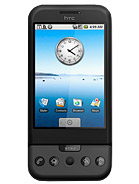
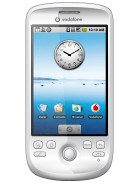
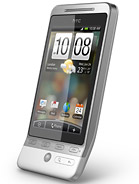
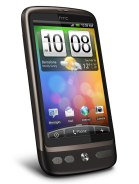
Android by HTC


HTC Dream
HTC Magic
HTC Hero
HTC Tattoo
HTC Legend
HTC Desire
HTC Incredible
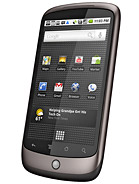
HTC Google Nexus One

All these phone can be unlocked by Factory unlock codes Only. No Direct Unlock Solution or Free Unlock solution for now.
Some of these phones can be unlocked by JTAG, Connect Jig to phone
Read DUMP area. soft will read/calculate code.
Some phone supports code reading via USB. Search for it for more info.

++++++++++++++++++++++++++++++++++++++++++++++++++ ++++++++++

Android by Samsung


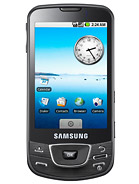
Samsung i7500 Galaxy
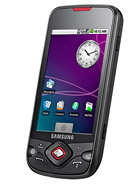
Samsung i5700 Galaxy Spica
Samsung i8520 Beam
Samsung 6500U Galaxy
Samsung T939 Behold 2
Samsung T959
Samsung I897
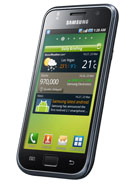
Samsung I9000 Galaxy S

Red Marked phones can be unlocked for free. [Click] [Click]


All these phone can be unlocked by Factory Code. some can be unlocked by using 3rd party paid software.

if you are using any third party software to unlock this phone. please only discuss in respective section.

link here...
http://forum.gsmhosting.com/vbb/f606/android-phones-unlocking-929689/#post5439412

Free Unlock of SAMSUNG ANDROID I9000, I897, T959

Unlock these Samsung Android for free just download below help manual and follow the steps,
i9000_t959_i897.rtf - 4shared.com - online file sharing and storage - download

These are all what is needed to do the job.
I897 unlock.zip - 4shared.com - online file sharing and storage - download
i9000 unlock.zip - 4shared.com - online file sharing and storage - download
T959 unlock.zip - 4shared.com - online file sharing and storage - download

You will need to connect the phone with the internet to be able to download and install Terminal Emulator from the Android Market on the phone. You can do this by connecting the WI-FI.

Tested by me and it is working 100000%. Credit Mr ELCO

How to Install the Leaked Official FaceBook App on Your iPad [Updated]

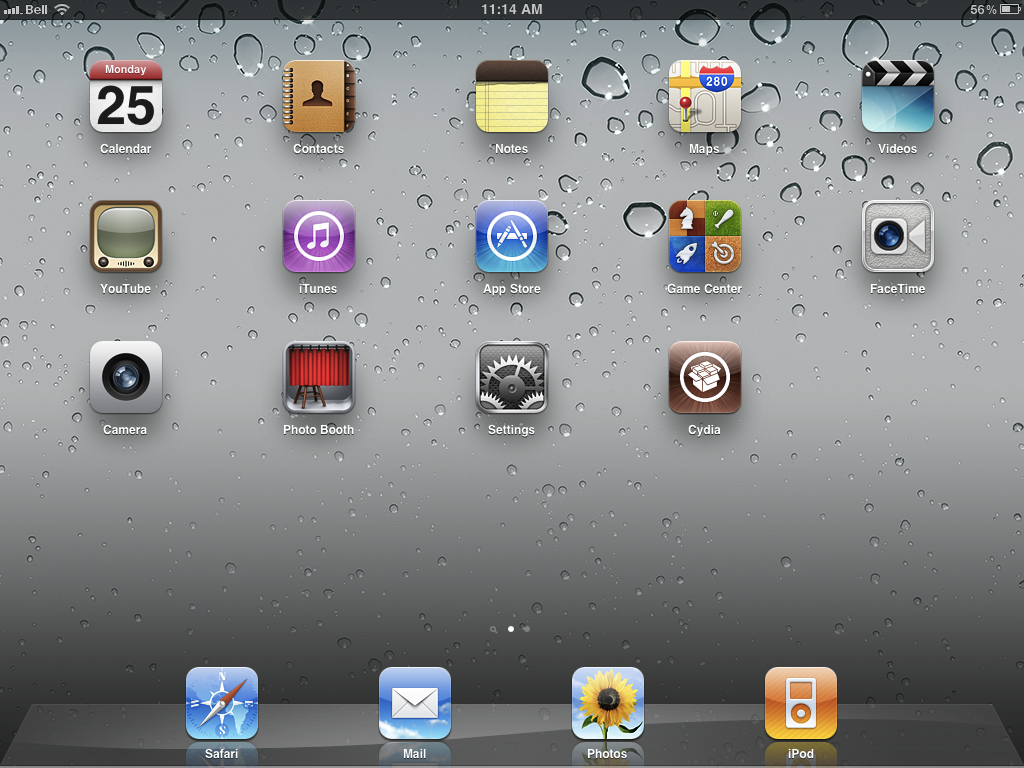
These are instructions on how to install the leaked official FaceBook app on your iPad. To perform this tutorial you will need a jailbroken device. You can find instructions on how to jailbreak here.

Step One
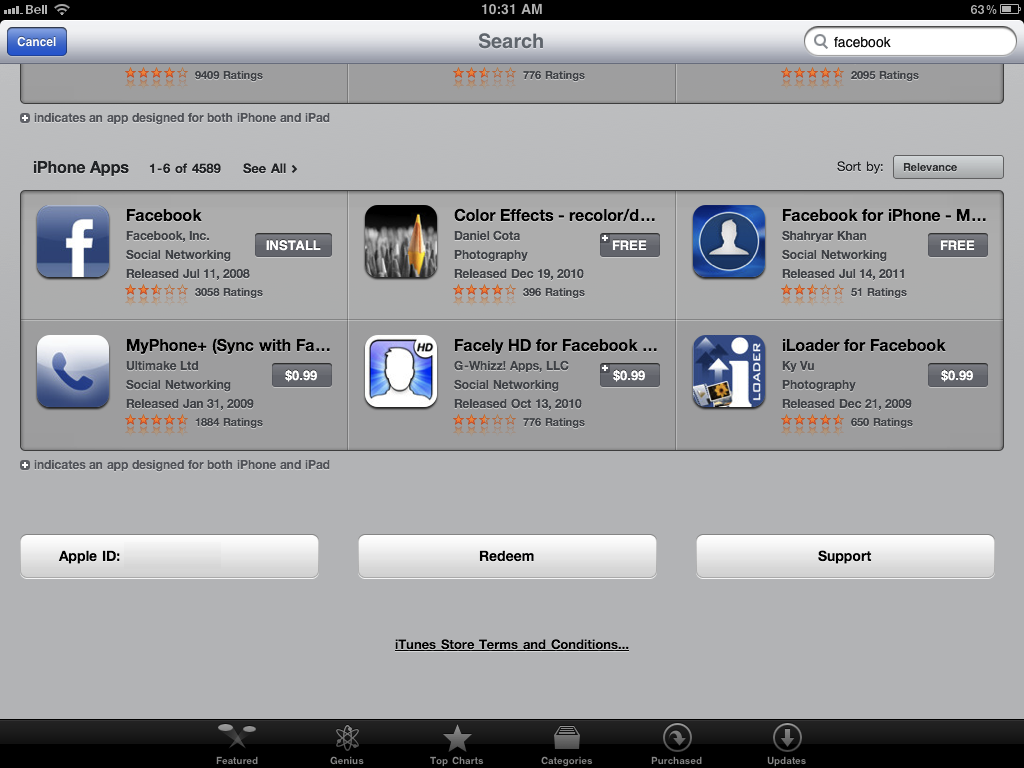
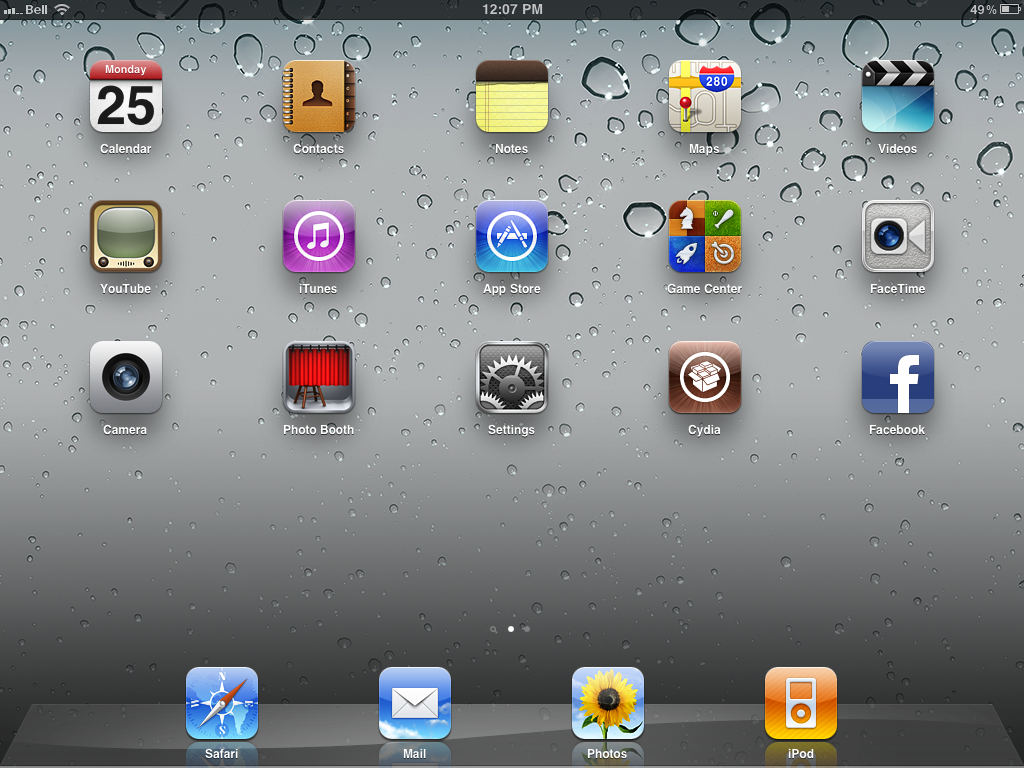
Press to launch the App Store from your Springboard and install the iPhone Facebook App.


Step Two
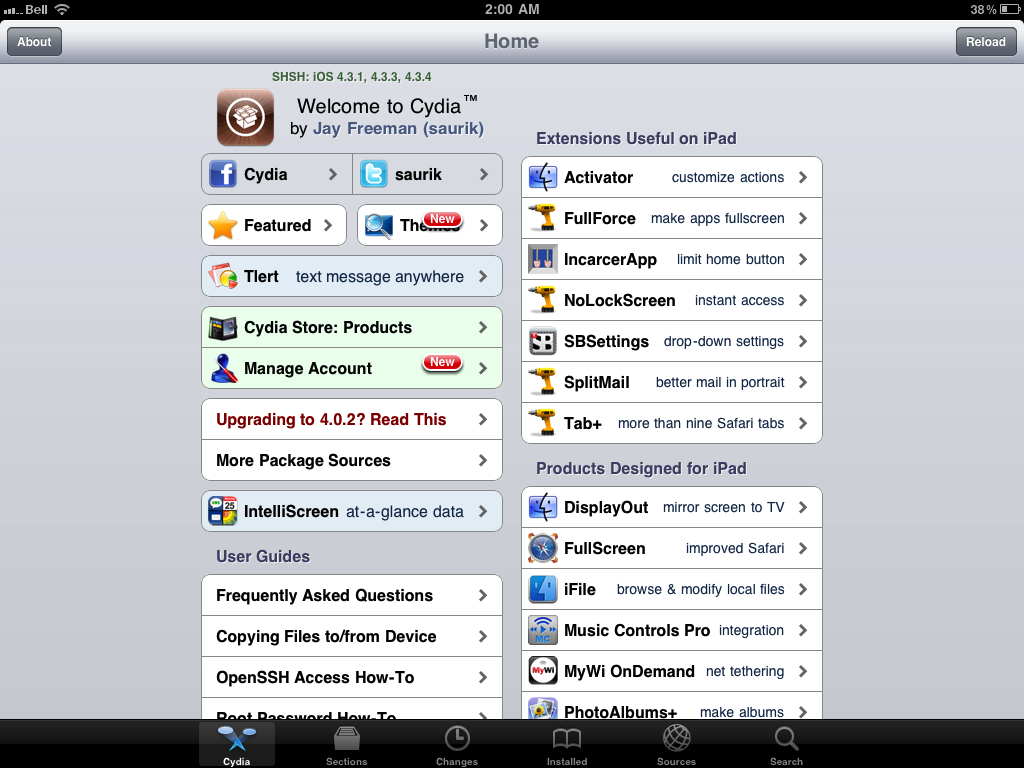
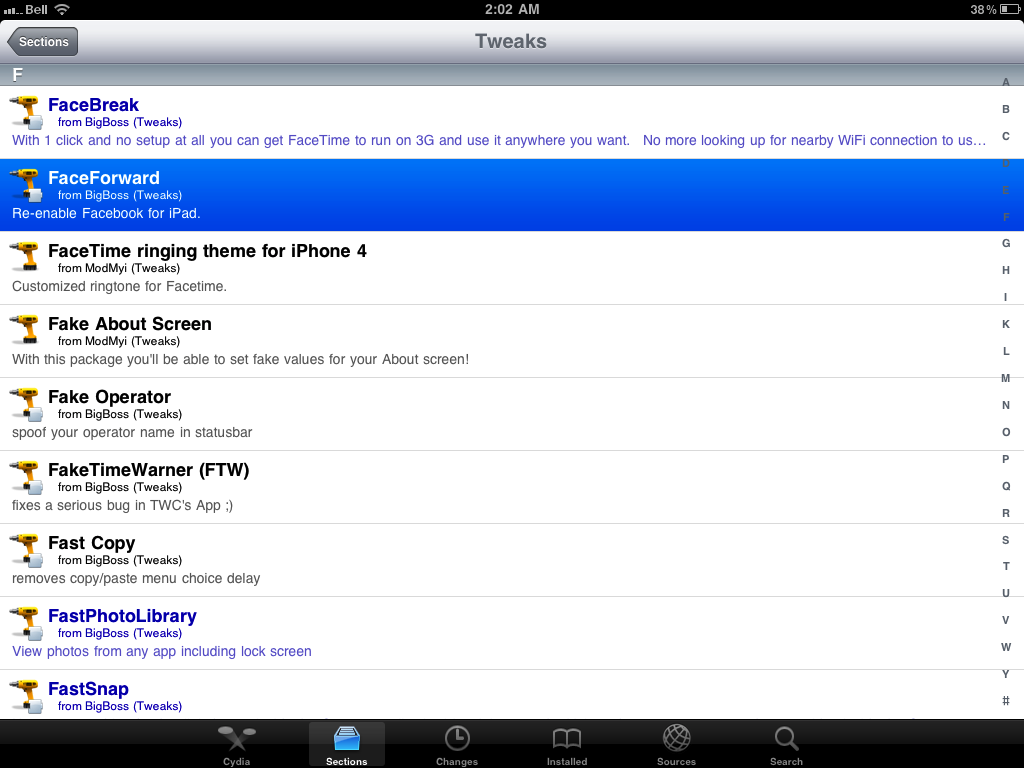
Press to launch Cydia from your Springboard and press to select the Sections tab at the bottom of the screen.


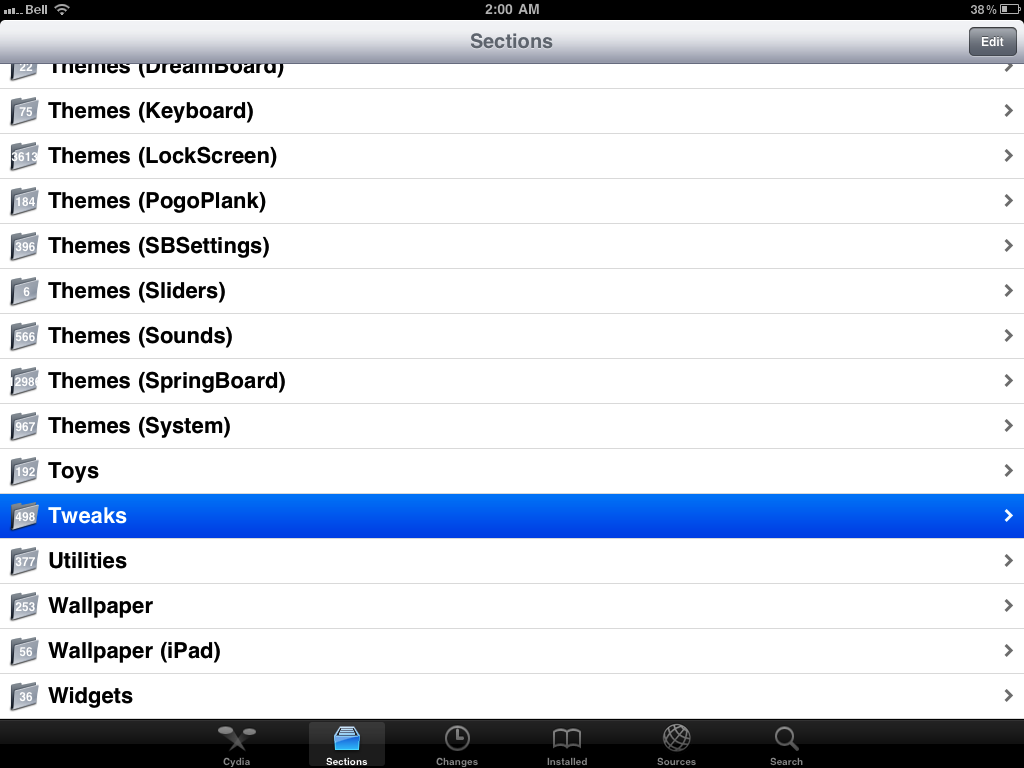
Step Three
Press to select Tweaks from the list of Sections.


Step Four
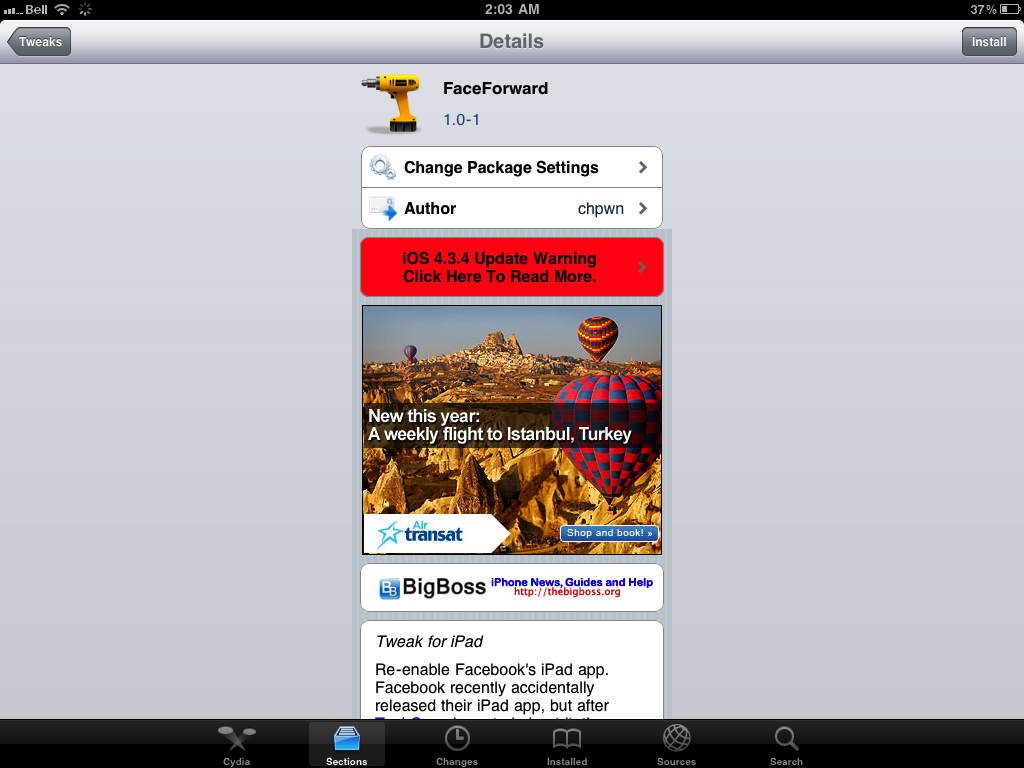
Press to choose FaceForward from the list of packages.


Step Five
Press the Install button at the top right of the screen.


Step Six
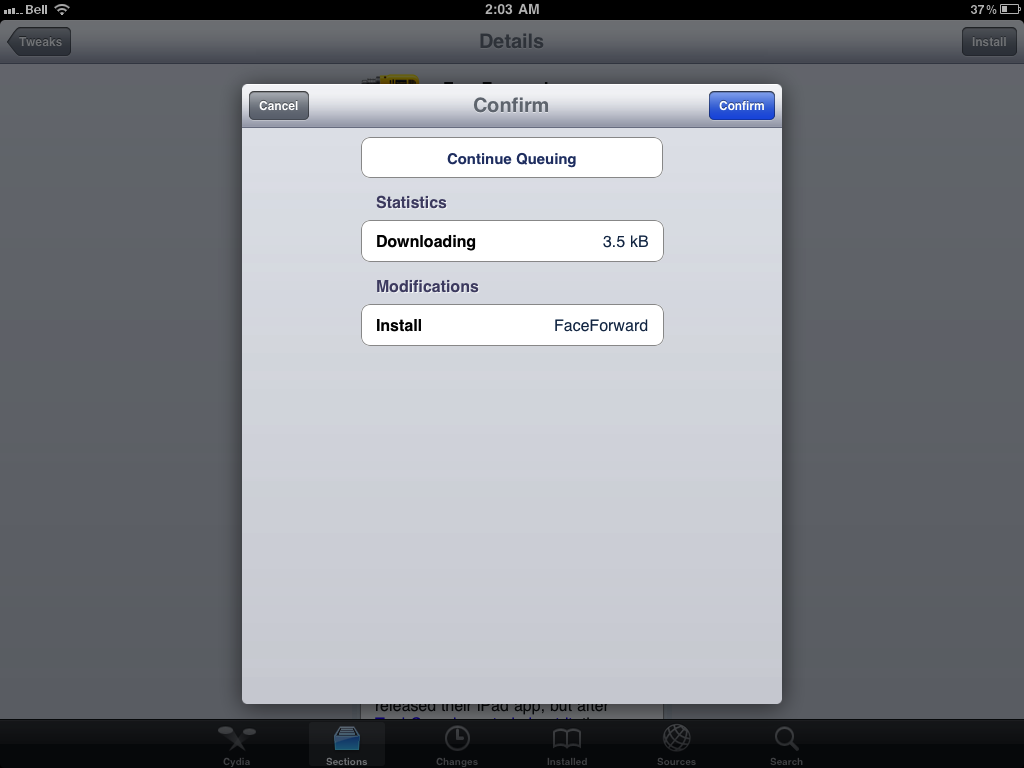
Press the Confirm button to begin installation.


Step Seven
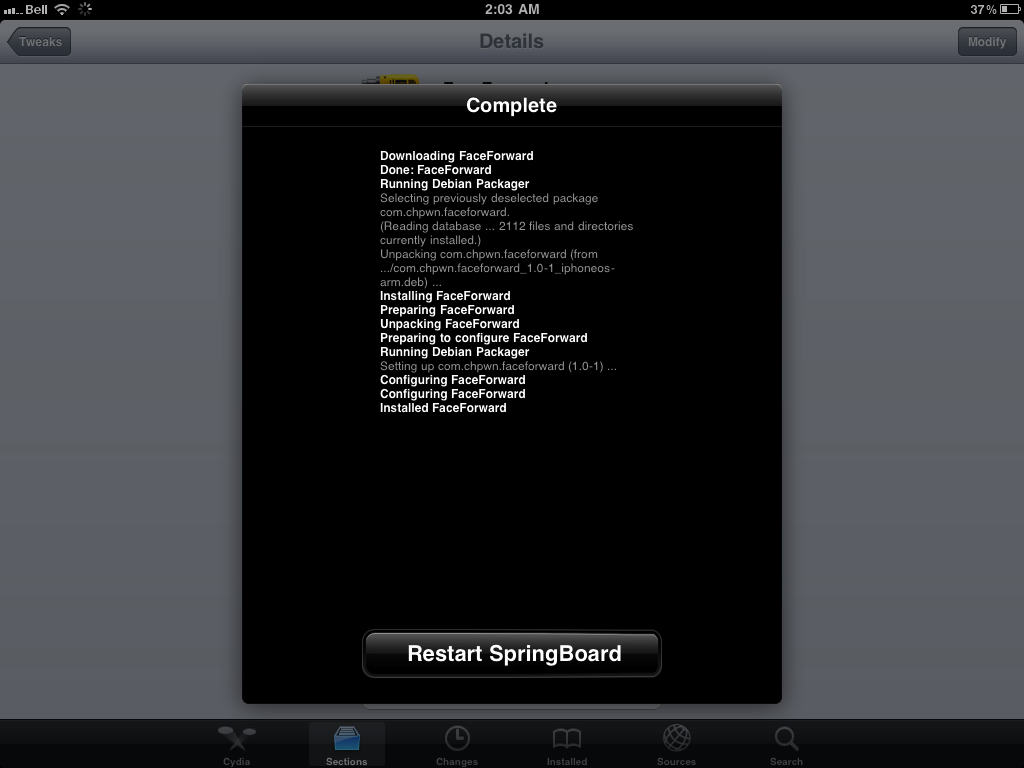
Once installation has completed successfully click the large Restart Springboard button.


Step Eight
Launch the new iPad Facebook application from your Springboard!


How to Jailbreak Your iPad 1 Using RedSn0w (Windows) [4.3.5]

These are instructions on how to jailbreak your iPad 1 on the 4.3.5 firmware using RedSn0w for Windows. The Mac version of this tutorial is here. If you are on 4.3.3 or lower make sure you do NOT update to iOS 4.3.5. Use the untethered JailbreakMe instead. You can find the appropriate JailbreakMe tutorial here.

Step One
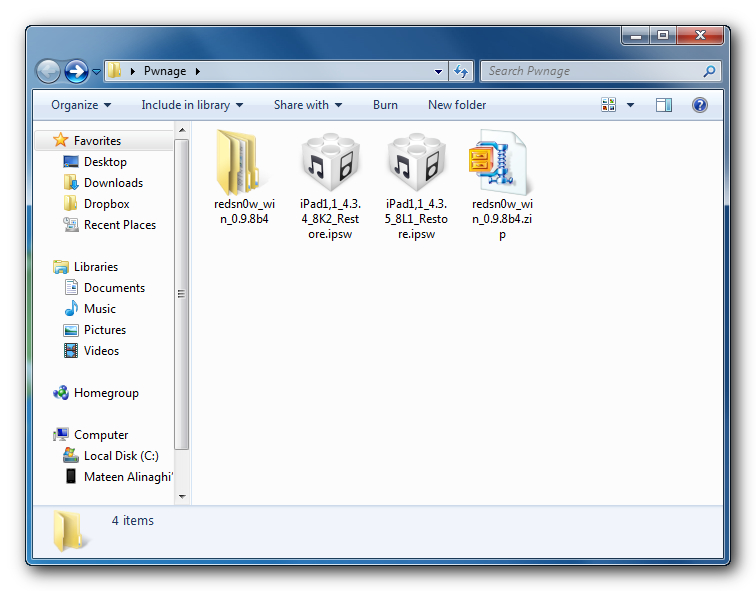
Create a folder on your desktop called Pwnage

Download RedSn0w from here and place it in the Pwnage folder. Likewise, download the latest 4.3.4 and 4.3.5 firmware from below and place it in the same folder.

4.3.4 (iPad 1): iPad1,1_4.3.4_8K2_Restore.ipsw
4.3.5 (iPad 1): iPad1,1_4.3.5_8L1_Restore.ipsw

Extract the RedSn0w zip file into the same folder.


Step Two
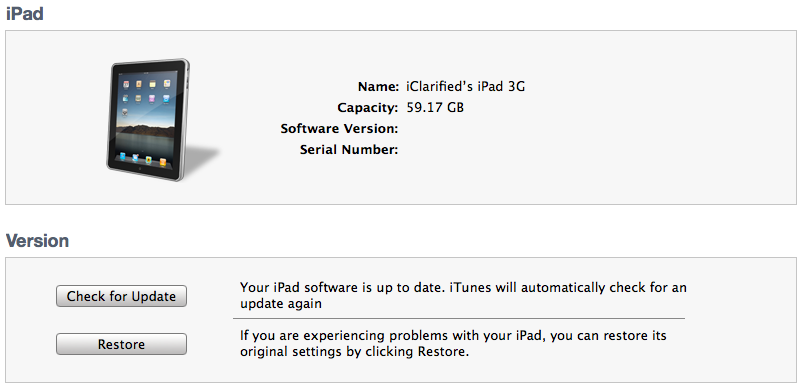
Connect your iPad to the computer and launch iTunes.


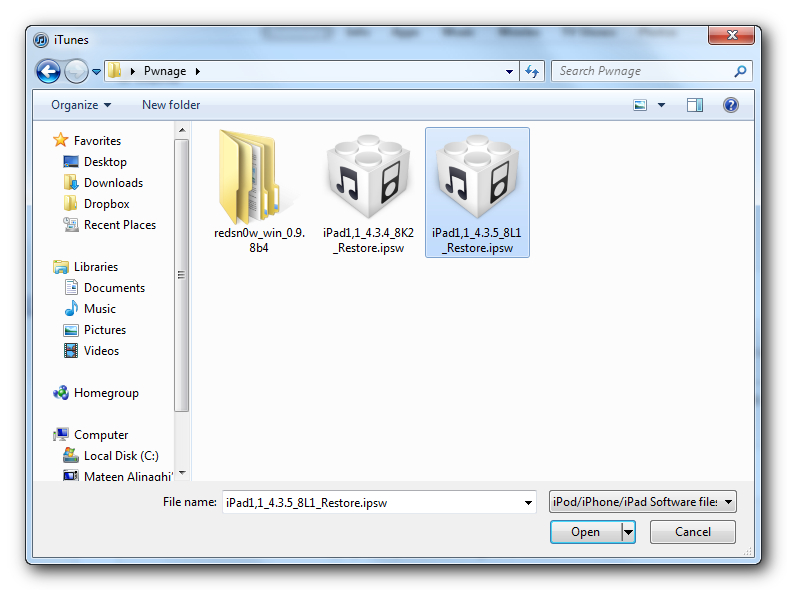
Select your iPad from the list of devices on the left. Now hold down Shift and click the Restore button. Restore is preferred as it won't create any wasted space on your iPad.


Navigate to the Pwnage folder on your desktop and select the 4.3.5 firmware ipsw. Click the Choose button to continue.


Step Three
Once iTunes has finished updating your iPad to the desired firmware open the Pwnage folder on your desktop and launch the redsn0w application from the redsn0w folder we extracted earlier.

**Windows 7 users may need to run RedSn0w in Vista Compatibility mode. You can do this by right clicking the executable and selecting Properties from the contextual menu.


Step Four
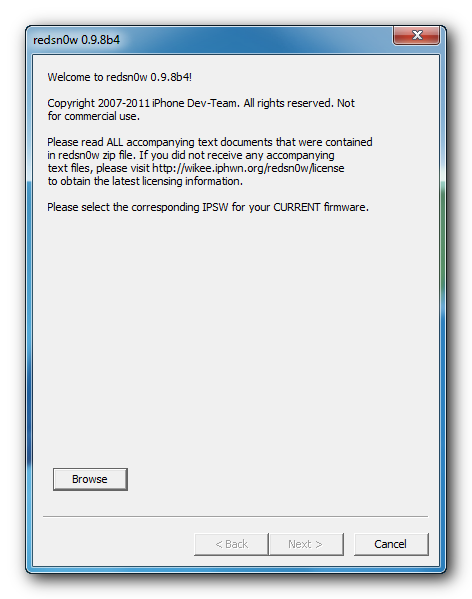
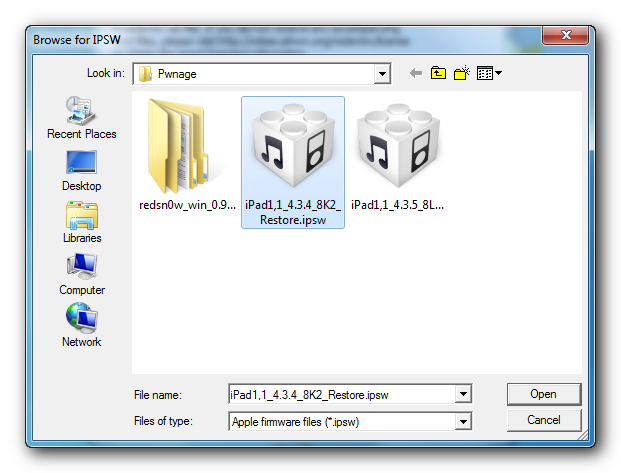
Once RedSn0w opens click the Browse button


Step Five
Select the 4.3.5 firmware ipsw we placed in the Pwnage folder on our desktop then click Open.


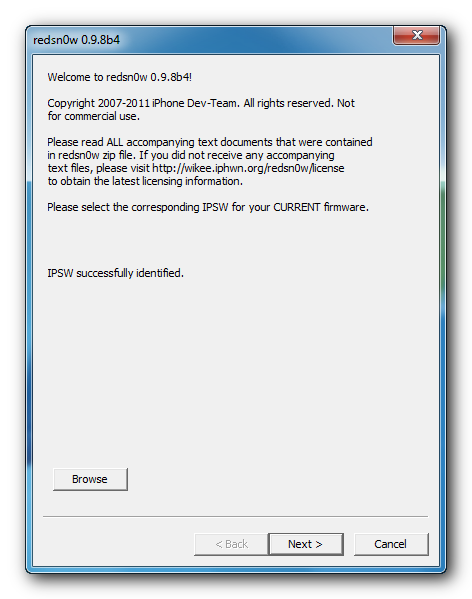
Step Six
Once the firmware has been verified click the Next button to continue.


Step Seven
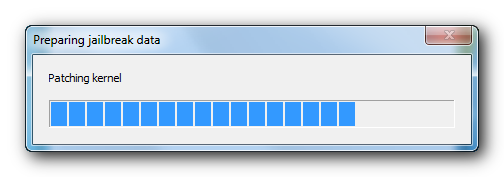
RedSn0w will now prepare the jailbreak data


Step Eight
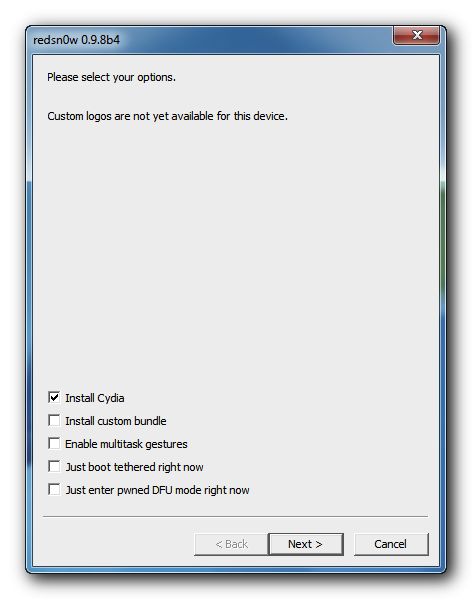
From this window you can select the jailbreak options you would like. Make sure Cydia is selected and click the Next button to continue.


Step Nine
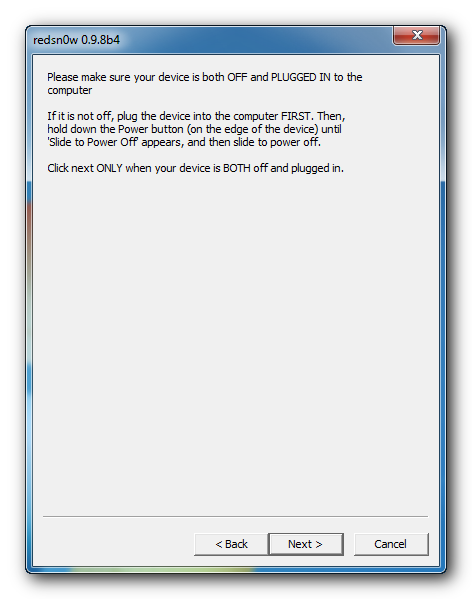
Please plug your iPad into the computer and make sure its OFF then click the Next button


Step Ten
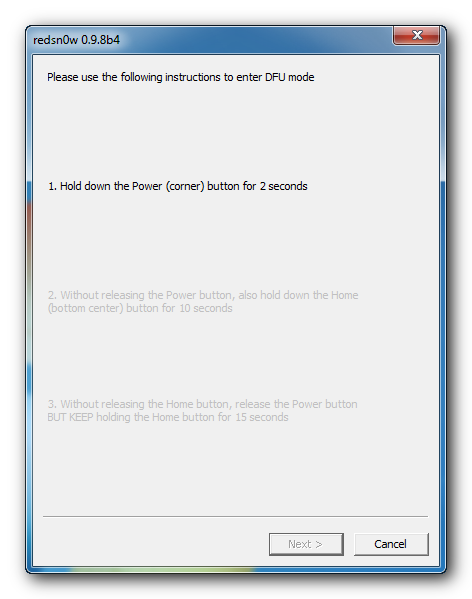
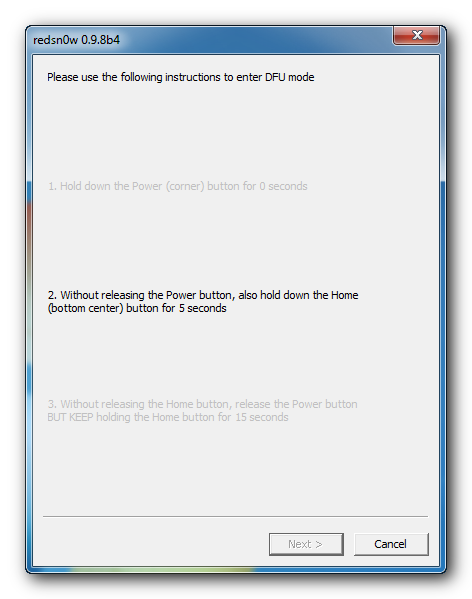
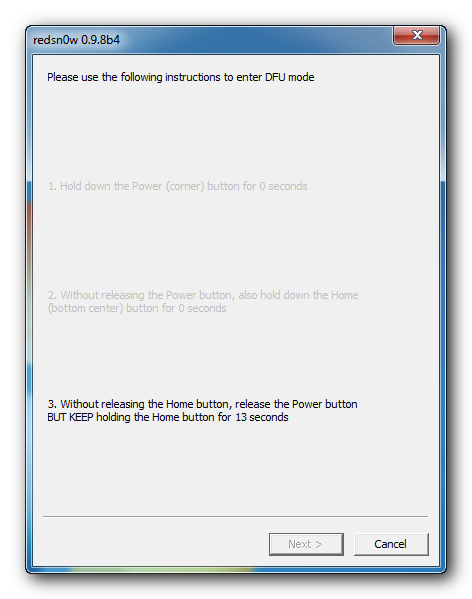
RedSn0w will now guide you through the steps to get into DFU mode. You can find more help with DFU mode here


Hold down both the Home button and the Power button for 10 seconds.


Release the Power button and continue holding the Home button until RedSn0w detects the device.


Step Eleven
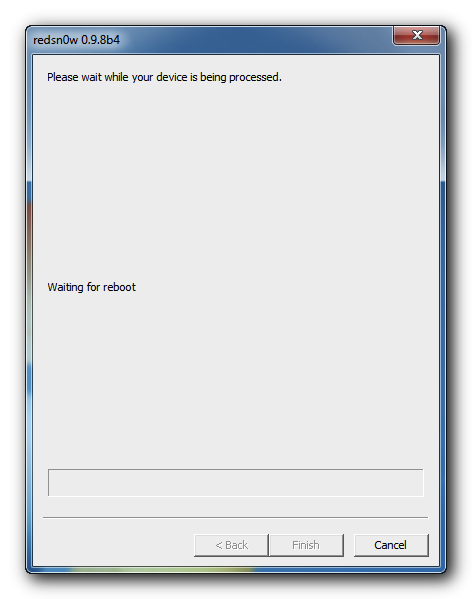
Your iPad will now reboot

Step Twelve
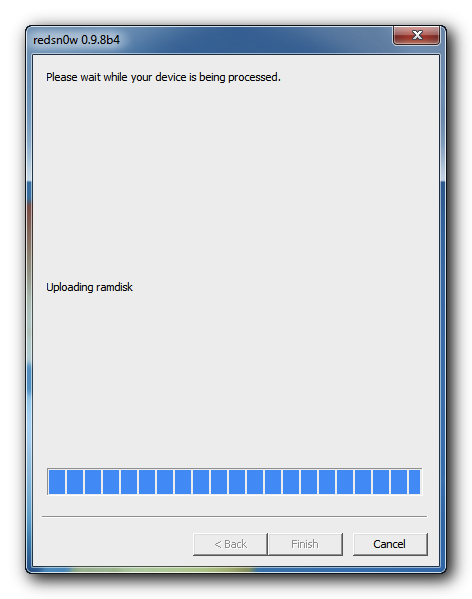
RedSn0w will then begin uploading the new RAM Disk and Kernel.


Step Thirteen
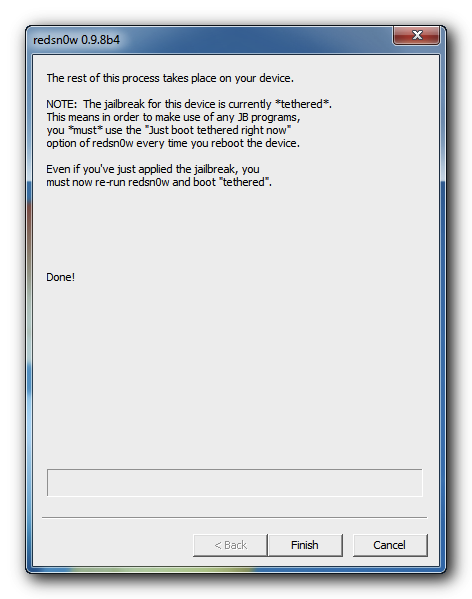
Once this is complete you will be notified that RedSn0w is done. Click the Finish button. When your iPad finishes rebooting (5 minutes or so) it will be jailbroken with Cydia on the SpringBoard.


BOOT TETHERED
Since this is a tethered jailbreak you must use Redsn0w to help you boot back into your jailbroken device if its powered off for any reason. Simply connect your iPhone to the computer, launch RedSn0w, select Just boot tethered right now from the options window and click Next to have RedSn0w boot your device.

*As usual a big thanks to the iPhone Dev-Team for their hard work and contribution to the iPhone community.
**Windows 7 users can try running RedSn0w as an administrator in Windows Vista or XP compatibility mode if you experience any difficulties.

iPad Firmware Files

http://acehmacclub.org/wp-content/uploads/2011/03/ipad.png
3.2.0: iPad1,1_3.2_7B367_Restore.ipsw
3.2.1: iPad1,1_3.2.1_7B405_Restore.ipsw
3.2.2: iPad1,1_3.2.2_7B500_Restore.ipsw
4.2.1: iPad1,1_4.2.1_8C148_Restore.ipsw
4.3.0 (iPad 1): iPad1,1_4.3_8F190_Restore.ipsw
4.3.0 (iPad 2 Wi-Fi): iPad2,1_4.3_8F191_Restore.ipsw
4.3.0 (iPad 2 GSM): iPad2,2_4.3_8F191_Restore.ipsw
4.3.0 (iPad 2 CDMA): iPad2,3_4.3_8F191_Restore.ipsw
4.3.1 (iPad 1): iPad1,1_4.3.1_8G4_Restore.ipsw
4.3.1 (iPad 2 Wi-Fi): iPad2,1_4.3.1_8G4_Restore.ipsw
4.3.1 (iPad 2 GSM): iPad2,2_4.3.1_8G4_Restore.ipsw
4.3.1 (iPad 2 CDMA): iPad2,3_4.3.1_8G4_Restore.ipsw
4.3.2 (iPad 1): iPad1,1_4.3.2_8H7_Restore.ipsw
4.3.2 (iPad 2 Wi-Fi): iPad2,1_4.3.2_8H7_Restore.ipsw
4.3.2 (iPad 2 GSM): iPad2,2_4.3.2_8H7_Restore.ipsw
4.3.2 (iPad 2 CDMA): iPad2,3_4.3.2_8H8_Restore.ipsw
4.3.3 (iPad 1): iPad1,1_4.3.3_8J3_Restore.ipsw
4.3.3 (iPad 2 Wi-Fi): iPad2,1_4.3.3_8J2_Restore.ipsw
4.3.3 (iPad 2 GSM): iPad2,2_4.3.3_8J2_Restore.ipsw
4.3.3 (iPad 2 CDMA): iPad2,3_4.3.3_8J2_Restore.ipsw
4.3.4 (iPad 1): iPad1,1_4.3.4_8K2_Restore.ipsw
4.3.4 (iPad 2 Wi-Fi): iPad2,1_4.3.4_8K2_Restore.ipsw
4.3.4 (iPad 2 GSM): iPad2,2_4.3.4_8K2_Restore.ipsw
4.3.4 (iPad 2 CDMA): iPad2,3_4.3.4_8K2_Restore.ipsw
4.3.5 (iPad 1): iPad1,1_4.3.5_8L1_Restore.ipsw
4.3.5 (iPad 2 Wi-Fi): iPad2,1_4.3.5_8L1_Restore.ipsw
4.3.5 (iPad 2 GSM): iPad2,2_4.3.5_8L1_Restore.ipsw
4.3.5 (iPad 2 CDMA): iPad2,3_4.3.5_8L1_Restore.ipsw

Tutorial flashing Nokia X3

https://blogger.googleusercontent.com/img/b/R29vZ2xl/AVvXsEhMK6lt6_e2ebN9RTTS0KYdSYcmbquj6TDIeRz_y4i2quEog_zwTTt4hJfizhd7KnLCrSHwyYjvDwfxSr4KrqyliL1Wht03yLjmF4FKCHiFNVkPpwj1GYwuLT9TPiszhtz-XtZVbH5bSIb4/s1600/nokia+x3.jpeg
video cara flashing nokia X3 with USB by mxkey

Download Here..
X3USBFlashing.rar

Followers