Mar 25, 2011

MXKEY FREE Dejan SL3 file converter, FREE SL3 Code calculation after brute force

Since Dejan tool is not all free and the logs file can be calculated ONLY with his server,
here is the rest of it what you all need it to be TOTALY FREE.

And one more gift for all my friends who made own GPU for Brute Force.

MXKEY Homepage
1. http://www.mx-key.com/mxkeysl3freedejanconverter.php

2. http://www.mx-key.com/mxkeysl3freecodecalculator.php

Let's start the HOT and "ATOMIC" summer of MXKEY with some FREE gifts
Updating SIMLOCK ... error 0x1 100% SOLUTION WITH MXKey
by
..::KASHIF::..


Here...
Free File Hosting & Video Downloads, Free File Sharing, Online Friends Network - Ziddu
What's new for version 3.0.6 ? very Hot!

  • Detection bugs fixed for MTK 6253 / 6268 / 6235
  • Improved USB Scan to be more stable (eg. Spreadtrum no need holding power key)
  • Spreadtrum IMEI read /write function Improved
  • Spreadtrum code read function Improved (Direct from file)
  • Add Spreadtrum cpu factory reset function
  • Add Spreadtrum cpu safe format function (beta)
  • Add Spreadtrum read phonebook function (Direct from file)
  • Add Mstar cpu manual format function
  • Add Mstar cpu auto format function
  • Add automatic repower fucntion for all CPUs (highlight function)
  • Other small report bugs fixed

Octopus Box v 1.7.7 is out!

Octopus Box v 1.7.7 is out! We have added support for LG L01C and world's first support for LG SU130!


Octopus Box v 1.7.7 Release Notes:

  • SU130 – added world's first Direct Unlock, Safe Write Firmware, Repair Bluetooth address, Read / Write / Repair NVM
  • L01C – added Direct Unlock, Repair Security, Read / Write / Repair NVM
  • KH3100 – added Direct Unlock for KW310904 and KW310910 versions
  • Added extended manuals for a wide range of models

http://www.youtube.com/watch?v=7RmIXs9CHwU

Download latest installer from official site

Free sony ericsson flasher

no box only you have inter net conection

Requirements

* Access to the Internet (preferably broadband)
* USB-cable
* To update the PC- card slot is needed for PC- card
* Intel ® Pentium ® 4 2.0 GHz or faster , AMD Athlon
* 500 MB free hard disk space
* 512 MB RAM
* 1 free USB 2.0 port
* Windows XP ™ (Home or Professional) with Service Pack 2 or later
* Microsoft ® Windows Vista ™ ( 32/64-bit )
* Microsoft ® 7 ™ ( 32/64-bit )


fist download usb driverhttp://rapidshare.com/files/104737515/usbdriver.rar

then download flasher tool Deposit Files

conect inter net & run this tool


support modeal

pnx5230:
- W350, W380, Z310, Z555
DB2000:
- K600, K608, W900
DB2000 (PDA / Smartphones):
- G700, G900, Xperia X1, M600, M608, P990, W900, W950, W958, W960, P1
DB2010:
- D750, J300, K300, K310, K500, K510, K700, K750, K758, S700, W300, W550, W600, W700, W800, W810, Z520, Z525, Z530, Z550, Z558
DB2012:
- K320, W200
DB2020:
- K530, K550, K610, K618, K770, K790, K800, K810, K818, S500, T650, V630, W580, W610, W660, W710, W830, W850, W880, W888, Z610, Z710
DB3100 (ODM):
- F305, S302, W302, W395
DB3150:
- C702, C902, G502, K630, K660, K850, V640, T700, TM506, W595, W760, W890, W902, W910, W980, Z750, Z770, Z780
DB3200/10, 3350 :
- C510, C901, C903, C905, G705, G705u, T707, T715, W508, W705, W715, W995, Aino (U10), Yari (U100), Jalou (F100), Naite (J105), Hazel, Elm, X10,, as well as all PC- Card Sony Ericsson
- Satio, X1, Xperia Pureness, Xperia X2, Vivaz, X10, X10 mini, X10 mini pro, as well as all PC- Card Sony Ericsson

Enjoy...

X10i new charge solution by irfan gsm 100% tested

FREE new SONY ERICSSON unlocker by Golden Md-Parvez.Ailom

This is a new sony ericsson unlocker tested 100% okkkkkkkkkkkkkk with C902

It is free but you need to register.
Aerix Home Page
Aerix-tool

Unlocking of Sony Ericsson A2 phones has never been so easy. Aerix is fast, reliable, intuitive and what is most important FREE software which you will love.


Full non-testpoint unlock of all Sony Ericsson A2 platform based phones
No quantity limits
Free of charge
Just register and use the software
News


Aerix website has been introduced
Aerix v0.99 re


Aerix-tool

Unlocking of Sony Ericsson A2 phones has never been so easy. Aerix is fast, reliable, intuitive and what is most important FREE software which you will love.
Features

* Full non-testpoint unlock of all Sony Ericsson A2 platform based phones
* No quantity limits
* Free of charge
* Just register and use the software

News

* Aerix website has been introduced
* Aerix v0.99 released
by Gahlot

http://www.ziddu.com/download/4410501/aerix.zip.html

Mar 23, 2011

Ultrasn0w 0.93 Released to Unlock iOS 4 (iPhone 3G and iPhone 3GS)

Ultrasn0w 0.93 Released to Unlock iOS 4 (iPhone 3G and iPhone 3GS) ultrasn0w

Finally it is here. iPhone Dev Team has updated the ultrasn0w 0.93 to unlock all iPhones which are on 05.13.04 (iOS 4) and 05.12.08 (on 3.1.3) basebands. To unlock your iPhone, it is necessary that you jailbreak your device first. Find here the complete instructions to jailbreak your iPhone 3G and 3GS using Redsn0w.

Ultrasn0w 0.93 Released to Unlock iOS 4 (iPhone 3G and iPhone 3GS) ultrasn0w 0.931

Step by Step Procedure to Unlock iPhone with Ultrasnow 0.93:

  1. After jailbreaking, open up the Cydia. Tap the Manage button on the bottom and then tap on Sources. Click the edit button on top and and then tap add.
  2. Now type this repo address in the sources: http://repo666.ultrasn0w.com (It is zero in ultrasn0w and not O).Ultrasn0w 0.93 Released to Unlock iOS 4 (iPhone 3G and iPhone 3GS) Cydia1
  3. Tap on Add Source and wait for it to update.
  4. Now search for Ultrasn0w through search field, tap it and press Install at the top.Ultrasn0w 0.93 Released to Unlock iOS 4 (iPhone 3G and iPhone 3GS) ultrasn0w 0.93
  5. Wait until installation finishes. Reboot your iPhone 3G and 3GS and your device is free of any carrier. Unlocked.


Unlock iOS 4.3 Using Ultrasn0w on iPhone 4, iPhone 3GS and iPhone 3G

Now iOS 4.3 can be unlocked using the existing version of Ultrasn0w provided that your iPhone 4, iPhone 3GS or iPhone 3G is already on unlockable baseband and moreover you have updated your device to iOS 4.3 using custom firmware while preserving the baseband.

Earlier it was reported that iOS 4.3 breaks Mobilesubstrate, which is required to run many Cydia apps, and Ultrasn0w which unlocks the devices. But iH8sn0w has just released a new version of Sn0wbreeze which fixes not only MobileSubstrate but also Ultrasn0w on iOS 4.3.

Here is complete step by step guide to unlock iOS 4.3 on iPhone 4, iPhone 3GS and iPhone 4 (baseband 01.59.00 / 04.26.08 / 05.11.07 / 05.12.01 / 05.13.04 / 06.15.00).

Unlock iOS 4.3 Using Ultrasn0w on iPhone 4, iPhone 3GS and iPhone 3G ultrasnow unlock

Step 1: First of all cook a custom iOS 4.3 firmware for your device using the latest Sn0wbreeze 2.3 beta 4 and update your device using this custom iOS 4.3.

Sn0wbreeze 2.3 b4 also jailbreaks your devices but jailbreak is tethered boot at present meaning you’ll have to connect your iPhone with PC after every reboot. Sn0wbreeze 2.3 b4 also hacktivates the iPhone in case your are not on official carrier.

Download Sn0wbreeze 2.3 b4 from here (Download Link). The complete instructions to cook custom iOS 4.3 firmware are posted in our this post.

Unlock iOS 4.3 Using Ultrasn0w on iPhone 4, iPhone 3GS and iPhone 3G snowbreeze 2.3b4

Sn0wbreeze 2.3b4 details are here:

  • ultrasn0w now works for basebands (01.59.00 / 04.26.08 / 05.11.07 / 05.12.01 / 05.13.04 / 06.15.00)
  • ultrasn0w is NOT compatible with the folllowing basebands! (02.10.04 / 03.10.01 / 04.10.01 / 05.14.02 / 05.15.04)
  • Upgrading your iPhone 3GS baseband to the 06.15.00 iPad baseband hack to unlock MAY cause you to lose your GPS!
  • Fixed minor GUI + iBooty bugs.

After jailbreaking your device follow the steps mentioned below to unlock your device.

Step 1: Launch Cydia from your device Springboard.

Step 2: Tap on Manage and select “Sources“.

Unlock iOS 4.3 Using Ultrasn0w on iPhone 4, iPhone 3GS and iPhone 3G iPhone 3GS unlock

Step 3: Touch on “Edit” and then on “Add“.

Step 4: You will be prompted to add the source URL http://repo666.ultrasn0w.com(its zero in Ultrasn0w) as shown in the image below.

Unlock iOS 4.3 Using Ultrasn0w on iPhone 4, iPhone 3GS and iPhone 3G iOS4.2.1unlock

Step 5: After the source has been added, use the Search option and type Ultrasn0w to search and install it.

Unlock iOS 4.3 Using Ultrasn0w on iPhone 4, iPhone 3GS and iPhone 3G ultrasnow iphone3GS

Step 6: Restart iPhone after installing Ultrasn0w. You should now have unlocked iPhone 4 on iOS 4.3 GM.

NEW:::::4.3_Custom_Restore(Activated):::::NEW

NEW::4.3_Custom_Restore(Activated & jailbreaked)::NEW


Iphone 4

iPhone3_1_4.3_8F190_Custom_Restore(Activated& jailbreaked)

PART - 1

PART - 2

PART - 3


iBooty-for iphone4-4.3


----------------------------------------------------------------------------------------------------------------------------------------------------------
Iphone 3Gs Old boot room
iPhone2_1_4.3_8F190_Custom_Restore(Activated& jailbreaked-old boot)

PART - 1

PART - 2

PART - 3

-------------------------------------------------------------------------------------------------------------------

Iphone 3Gs New boot room
iPhone2_1_4.3_8F190_Custom_Restore(Activated& jailbreaked-New boot)

PART - 1


PART - 2

PART - 3

iBooty-for iphone3Gs-4.3

iOS 4.3 vs Android 3.0 Honeycomb


Apple iOS 4.3 vs. Android 3.0 Honeycomb, do you think it is a provocative title? Why not? This can be your main guide to show you which one is the software to meet your requirements and works very well because of its strong and powerful performance.

Each platform has some interesting updates, but comparing the two platforms let us know it the Android 3.0 is an actual tablet-centric OS, while iOS 4.3 shows its enhancement from the original iPad experience.

Browsers
The iOS has ‘Nitro’ Javascript engine, giving a boost to online use and double the power in version 4.2.1. In addition, there will be improved browser and web application performance.

Android Honeycomb has done so many improvements that are considerable because of the real efforts made. The additional features grabbed from Chrome are there, including tabbed browsing. Android also supports Javascript and plug-ins, along with the zoom and scroll functions that have been improved.


Social Network
In comparison the two platforms are fairly equal because each gives us contact integration with Facebook, Twitter and other native social networking apps, along with standing features which are enhanced from previous versions. The iOS 4.3 even has Location Services receiving a revamp and runs quickly accessible in the Settings menu. The iOS 4.3 has new Find My Friends, attacking what Android has established Google Latitude.

Apps Media
Apple has developed AirPlay, a new tech of Apple’s wireless media streaming allowing users to virtually stream real-time video, audio and photo images direct to Apple TVs. Even the iOS 4.3 version is able to run streaming of web-based H.264 videos.

iOS 4.3 will also allow you to stream your self-made videos straight from your device. You would just need to transfer the video to a computer and synchronize it, but now Apple has eliminated the fuss.

Talking about multitasking capability, showing us the two platforms give us a great progressive strength, particularly Android. Honeycomb is a good luck because of its quick and user-friendly apearance. Users will not only be capable of operating high-end apps and content, but also get an integrated OpenGL graphics acceleration. The Renderscript 3D graphics engine is developed as well.

Compatibility
One of the Android’s weaknesses is about its problem of fragmentation across devices. Google is always seeking to improve it with future versions, but the older devices of the platform will be still locked.

Apple has a better iOS because of its compatibility, and it might be caused by its “seniority” compared to Android.

Interface
iOs has been changed a bit while we have a look at the original iPad. Its new multi-touch function presents the best touchscreen display for users, as consequence they can use their four and five finger gestures.

Something new also comes to the current application and the homescreen. The replacement of the screen-Lock appears with the Mute switch, and the iOS 4.3 offers a toggle allowing users to choose which function to use it for.

On the other hand, Android reveals it in the interface users will also find Native google apps, such as Gmail, which is close to what Apple has made with its presentation as its parts of the extensive enhancements with new features. There are applications and notifications bar at the bottom of the homescreen. And thus, you can navigate through currently open apps.

Most of all, the big thing to keep in mind about Android is its inherent customization it has over most other platforms.

Conclusion
We see that improvements made in iOS 4.3 are cool. All cases and problems that need to be improved are resolved very well. However, we would still find difficult to turn our heads because Android is now much more competitive. Android is more customizable over intuitiveness, easy to use and integration. All in all, Android Honeycomb is more impressive and surprising, while iOS didn’t make many changes compared to the Honeycomb.

Cyclone Box v1.57 1st in world ORIGINAL RPL BACKUP and SD BACKUP for RAPU/RAP4/RAPID

New firmware for CycloneBox is Available.
  • - Added PM308 decryption for NEW phones (RAPU , RAP3Gv4, RAPIDO New ), that means you can:
  • - Superdongle Key backup
  • - CMLA Key backup
  • - Correct Phone Security Analysis for this phones
  • - Correct MCU/DSP timestamps analysis
  • - Phone auhtorization without corrupting SD key, when SD key is correct
  • - After local SX4 auth , phone STILL MIGHT BE authorized with ORIGINAL NOKIA SX4 CARD
  • - Created RPL from RAPU/RAP4 phones are now 100% like delivered from Nokia! That means after full erase and writing back backed-up RPL, your phone STILL MIGHT BE AUTHORIZED WITH ORIGINAL SX4 CARD - no security issues !
  • - Created RPL from RAPU phones might also SAVE PHONE from DESTROYING by some other tools (Contact Service after upgrade to latest versions...)
  • - Minor changes and bugfixes

NOTE

This is firmware-side update only, upgrade your box firmware to v1.57 and use latest installer v1.12


Created RPL with FULL NOKIA CONTENT (SD, CMLA, ...)
Code:
RPL Creation started...
Processing CMT Part...
Storing Product Code...
Storing PSN...
Storing HWID...
Trying to store Simlock...
Reading Configuration Key...
Hashing...
Reading SHA1-RSA Signature...
Reading SHA1-HMAC Signature...
Storing Simlock...
Trying to store WMDRM RPL...
Reading Keys...
Storing WMDRM PD...
Reading Security Block...
Security block OK and saved to "RM-469_355216039314532_2011-03-10_130535.SecurityBlock.PM"
"1BB0020A296303443292389F545846C201100A5C.C0003160 " Exists, That is good...
Storing Additional Data...
Checking Superdongle Key...
Encrypting Superdongle Key...
Storing Superdongle Key...
Checking CMLA Key...
Storing CMLA Key...
Booting CMT...
CMT_SYSTEM_ASIC_ID: 000000030000022600010007600C192102011104
CMT_EM_ASIC_ID: 00001040
CMT_EM_ASIC_ID: 00001030
CMT_PUBLIC_ID: 1BB0020A296303443292389F545846C201100A5C
CMT_ASIC_MODE_ID: 00
CMT_ROOT_KEY_HASH: 25B977A055BE9B5DEC0C38A2A279C695
CMT_BOOT_ROM_CRC: 3E273BF6
CMT_SECURE_ROM_CRC: 37BE26FA
CMT Ready!
Searching for BootCode: DualLine 32Bit
RAPUv11_2nd.fg, Type: 2nd Boot Loader, Rev: 768.10.48.1, Algo: BB5
Flashbus Write baud set to 1.0Mbits
Flashbus Read baud set to 98Kbits
Using NEW BB5 FLASHING PROTOCOL
Default Transmission Mode Requested by Loader: Dual Line, 32 bit, Overriding
Transmission Mode Requested: Dual Line, 32 bit, Accepted: Dual Line, 32 bit
Box TX2 Data Pin set to: Service Pin 3
FlashChip[0,CMT]: 0x0000000000000000, Unknown, RAM
FlashChip[0,CMT]: 0xFFFF000000000000, Unknown, MMC
FlashChip[0,CMT]: 0x0020004000000031, ST, NOR
FlashChip[1,CMT]: 0x0000000100000000, Unknown, NOR
FlashChip[0,CMT]: 0x0020004000000031, ST, ONENAND
Requested Algorithm: XSR 1.6 (CMT)
Searching for BootCode: DualLine 32Bit
FlashChip 0x00200040 (ST), Size: 256MBytes, VPP: Not Supported
RAPUv11_XSR17_alg.fg, Type: Algorithm, Rev: 768.10.48.1, Algo: XSR 1.6
Initializing TurboCache...
TurboCache Loaded!
Writing CMT PASUBTOC Certificate...
Writing CMT ALG Certificate...
CMT Algorithm Ready!
Default Transmission Mode Requested by Loader: Dual Line, 32 bit, Overriding
Transmission Mode Requested: Dual Line, 32 bit, Accepted: Dual Line, 32 bit
Box TX2 Data Pin set to: Service Pin 3
Adding FUR Client (CMT, State: Ready)...
CMT FUR Ready!
Box VPP disabled
Internal CMT Phone VPP Enabled
PAPUBKEYS Hash for CMT: 85F252E351E225CAFC4DFBC8041EABD2823E3500
APE Subsystem Not Found
Flashbus Write baud set to 5.0Mbits
Storing NPC...
Storing CCC...
Storing HWC...
CMT VARIANT Not Found
Restarting MCU...
RPL Saved OK

Example seccurity analysis, timestamp analysis, etc for RAPU

Code:
Started Reading MCU & DSP Timestamps...
MCU Version V ICPR82_09w46.8
MCU Date 30-03-10
Product RM-469 (Nokia E52)
Manufacturer (c) Nokia
IMEI 355216039314532
Mastercode 2637612627
Reading Security Block...
Security block OK and saved to "RM-469_355216039314532_2011-03-10_130314.SecurityBlock.PM"
"1BB0020A296303443292389F545846C201100A5C.C0003160 " Exists, That is good...
Booting CMT...
CMT_SYSTEM_ASIC_ID: 000000030000022600010007600C192102011104
CMT_EM_ASIC_ID: 00001040
CMT_EM_ASIC_ID: 00001030
CMT_PUBLIC_ID: 1BB0020A296303443292389F545846C201100A5C
CMT_ASIC_MODE_ID: 00
CMT_ROOT_KEY_HASH: 25B977A055BE9B5DEC0C38A2A279C695
CMT_BOOT_ROM_CRC: 3E273BF6
CMT_SECURE_ROM_CRC: 37BE26FA
CMT Ready!
Searching for BootCode: DualLine 32Bit
RAPUv11_2nd.fg, Type: 2nd Boot Loader, Rev: 768.10.48.1, Algo: BB5
Flashbus Write baud set to 1.0Mbits
Flashbus Read baud set to 98Kbits
Using NEW BB5 FLASHING PROTOCOL
Default Transmission Mode Requested by Loader: Dual Line, 32 bit, Overriding
Transmission Mode Requested: Dual Line, 32 bit, Accepted: Dual Line, 32 bit
Box TX2 Data Pin set to: Service Pin 3
FlashChip[0,CMT]: 0x0000000000000000, Unknown, RAM
FlashChip[0,CMT]: 0xFFFF000000000000, Unknown, MMC
FlashChip[0,CMT]: 0x0020004000000031, ST, NOR
FlashChip[1,CMT]: 0x0000000100000000, Unknown, NOR
FlashChip[0,CMT]: 0x0020004000000031, ST, ONENAND
Requested Algorithm: XSR 1.6 (CMT)
Searching for BootCode: DualLine 32Bit
FlashChip 0x00200040 (ST), Size: 256MBytes, VPP: Not Supported
RAPUv11_XSR17_alg.fg, Type: Algorithm, Rev: 768.10.48.1, Algo: XSR 1.6
Initializing TurboCache...
TurboCache Loaded!
Writing CMT PASUBTOC Certificate...
Writing CMT ALG Certificate...
CMT Algorithm Ready!
Default Transmission Mode Requested by Loader: Dual Line, 32 bit, Overriding
Transmission Mode Requested: Dual Line, 32 bit, Accepted: Dual Line, 32 bit
Box TX2 Data Pin set to: Service Pin 3
Adding FUR Client (CMT, State: Ready)...
CMT FUR Ready!
Box VPP disabled
Internal CMT Phone VPP Enabled
PAPUBKEYS Hash for CMT: 85F252E351E225CAFC4DFBC8041EABD2823E3500
APE Boot skipped on user request
Flashbus Write baud set to 5.0Mbits
Reading MCUSW...
Reading DSP0...
Restarting MCU...
------ SECURITY BLOCK TIMESTAMPS ------
Timestamp Slots Detected: 4
Timestamp[1] "AENO", 2010-02-19 11:11:38
Timestamp[1] Hash "0BCD489612D4A4968B4D42A5631FC85C5D7E0E81"
Timestamp[1] Factory MCUSW Timestamp 1970-01-01 02:00:00
Timestamp[1] Dejan Hack Detected
Timestamp[1] ValidAfter Factory MCUSW Test Passed OK!
Timestamp[2] "CMCU", 2010-04-02 11:57:08
Timestamp[2] Hash "4CC50641D7C45E9DFE2967D4802C8710547BF54A"
Timestamp[2] Factory MCUSW Timestamp 2009-09-02 15:18:02
Timestamp[2] ValidAfter Factory MCUSW Test Passed OK!
Timestamp[3] "CDSP", 2010-04-02 11:57:07
Timestamp[3] Hash "D8C94BFA607710D856D8C78A9CE3EB411CD7AC4C"
Timestamp[3] Factory MCUSW Timestamp 2009-09-02 15:18:02
Timestamp[3] ValidAfter Factory MCUSW Test Passed OK!
Timestamp[4] "AMCU", 2010-04-02 11:57:09
Timestamp[4] Hash "BFC854388C2C26014F05B5084A8033CB30E472EB"
Timestamp[4] Factory MCUSW Timestamp 2009-09-02 15:18:02
Timestamp[4] ValidAfter Factory MCUSW Test Passed OK!
-------------------------------------
------ ACTUAL FLASH TIMESTAMPS ------
MCUSW Timestamp 2010-04-02 11:57:08
Flash MCUSW Timestamp synchronized with Security Block MCUSW Timestamp OK!
DSP Timestamp 2010-04-02 11:57:07
Flash DSP Timestamp synchronized with Security Block DSP Timestamp OK!
-------------------------------------
Finished, MCU and DSP Timestamps looks good!
Started Phone Security Analysis...
MCU Version V ICPR82_09w46.8
MCU Date 30-03-10
Product RM-469 (Nokia E52)
Manufacturer (c) Nokia
IMEI 355216039314532
Mastercode 2637612627
Reading Security Block...
Security block OK and saved to "RM-469_355216039314532_2011-03-10_130516.SecurityBlock.PM"
Step 1 : Testing SIMLOCK
SIMLOCK SEFLTEST PASSED OK!
Step 2 : Testing SECURITY
SECURITY SEFLTEST PASSED OK!
Step 3 : Analyzing Security Block
"1BB0020A296303443292389F545846C201100A5C.C0003160 " Exists, That is good...
Checking SUPERDONGLE...
SUPERDONGLE FOUND AND CHECKSUM OK! PASSED!
Checking SIMLOCK...
Failed to decode Security Section, Box Reported: Security Section Not Found (SL3 phone?)
Checking MCU&DSP TIMESTAMPS...
MCU&DSP TIMESTAMPS FOUND AND CHECKSUM OK! PASSED!
Checking CMLA KEYS...
CMLA KEYS FOUND AND CHECKSUM OK! PASSED!
Checking ECC KEYS...
ECC KEYS FOUND AND CHECKSUM OK! PASSED!
Checking DIV KEYS...
DIV KEYS FOUND AND CHECKSUM OK! PASSED!
Analyze finished!


Best Regards,
Cyclone Team

Public discussion about Fenix Key SL3 Unlocker (SLAP)

Fenix Key SL3 SLAP Client v1.0

FOR FREE !!! NO LOGS, NO ACTIVATIONS - dont waste your money !!!

Features:

- Supported UFS & JAF interface
- Whole application is split into server and client, then you can put server for example in home and connect into it from any place
- No calculation power wasting, you can give access into server for customers\friends by simple create account with password and any amount of logs inside as you want

Supported hashes:

38F312750F686F9FC9B1B3778774A195
9A28E119033B91D14D22838C86D0D53C
9DDBFCFE6E73CED7D8C6268C8EB85723
A5404AE83A594ECADEE532F0C236BFA6
BAF3A9C3DBFA8454937DB77F2B8852B1
CAEEBB65D3C48E6DC73B49DC5063A2EE
E9EFF4BFAA5393217CA6B17755FC3E14
F2D76DFAFD66C7F195F278417DF05888
F682624FFB08F6D955DBE7D9C0485084
FCB5C510AF7F09F313D9BDE85A707CC0


Supported models:

2690 (RM-635)
2700 Classic (RM-561)
2700c-2 (RM-561)
2730 Classic (RM-578)
2730c-1b (RM-579)
3600 Slide (RM-352)
3720 Classic (RM-518)
3720c-2 (RM-518)
5130 (RM-495)
5130c-2 (RM-495)
5130 XpressMusic (RM-495)
5310 XpressMusic (RM-303)
5730s (RM-465)
5730s-1 XpressMusic (RM-465)
5800d-1 (RM-356)
6300 (RM-217)
6303 Classic (RM-443)
6500 Slide (RM-240)
6500 Classic (RM-265)
E63 (RM437)
E71-1 (RM-346)
N97-1 (RM-505)
N97-1 N97i (RM-505)
N97-3 (RM-507)
N97-4 (RM-555)
N97-4 mini (RM-55)


1. Required hardware: ATI Radeon HD 5xxx or Nvidia CUDA graphic card
2. Recommended hardware: HD 5850, HD 5870 or HD 5970
3. High hardware system: TWO Dual HD 5970


Note:
On Nvidia CUDA GPU graphic cards, price of card over performance is not the best one, so we NOT recommend to use Nvidia CUDA cards.
But, if you have to much money and want to throw away some money,
our software also support this cards too.


About Bruteforce Unlocking times (this is a typical time, please do not take this as constant time):

ATI HD 5850: ~55 hours
ATI HD 5870: ~43 hours
ATI HD 5970: ~24 hours
Dual ATI HD 5970: ~12 hours

Now, with SL3 Local Bruteforce and Fenix Key, Time Control is IN YOUR HANDS. Of course, depends on how many phones you have to unlock and how much you want to spend on hardware.

Link Here..
http://forum.gsmhosting.com

MXKEY FREE Dejan SL3 file converter, FREE SL3 Code calculation after brute force.

Since Dejan tool is not all free and the logs file can be calculated ONLY with his server,
here is the rest of it what you all need it to be TOTALY FREE.

And one more gift for all my friends who made own GPU for Brute Force.

ORIGINAL POST:
FREE Dejan SL3 logger file converter, FREE SL3 Code calculation after brute force.

Let's start the HOT and "ATOMIC" summer of MXKEY with some FREE gifts

BR,
Manole

Mar 21, 2011

iPhone 3gs 4.3 downgraded and unlocked without problems!

1. Downgrade to 4.1, u ill get error 1015
2. Tinyumbrella: Kick out of recovery mode
3. Redsn0w, install bb 6.15 AND Cydia
4. Install ultrasn0w from cydia.
5. Restart
6. Full signal. Enjoy!!

Thanks...

Mar 20, 2011

NEROKEY 1D download link inside !!
LINK:
Multiupload.com - upload your files to multiple file hosting sites!
Octopus Box Software V1.0.1 released

In this version our team added support for a bunch of models, including first in the world support of GB175.


Added support of the following models:


GB175 (unlocking, repairing IMEI, reading/writing FLASH) - first in the world;
MG110b (unlocking, repairing IMEI, reading/writing FLASH);
GB220 (unlocking, repairing IMEI, reading/writing FLASH, repairing EEPROM);
KF701 (unlocking, repairing IMEI, writing FLASH, repairing NVM, repairing SECURITY);
KC910 (unlocking, repairing IMEI, writing FLASH, repairing NVM, repairing SECURITY);
KC910Q (unlocking, repairing IMEI, writing FLASH, repairing NVM, repairing SECURITY);
KF757 (unlocking, reading/writing GDFS, writing FLASH);
KS500 (unlocking, reading/writing GDFS, writing FLASH).


Note: In order to work with Octopus box software v.1.0.1, you need to update your smart-card firmware to v.1.1.


Download latest installer from official site http://octopusbox.com/eng/help/download

MTK-BOX III V1.12 Released 18/03/2011


First Ver V1.10 Download


MTK-BOX Upgrade packages V1.12

tip:You need Install MTK-BOX Ver 1.10 First
News:Add More than 80 China Mobile Pinout inside
Click Download MTK-BOX III UPGRADE PACKAGES V1.12

Mar 17, 2011

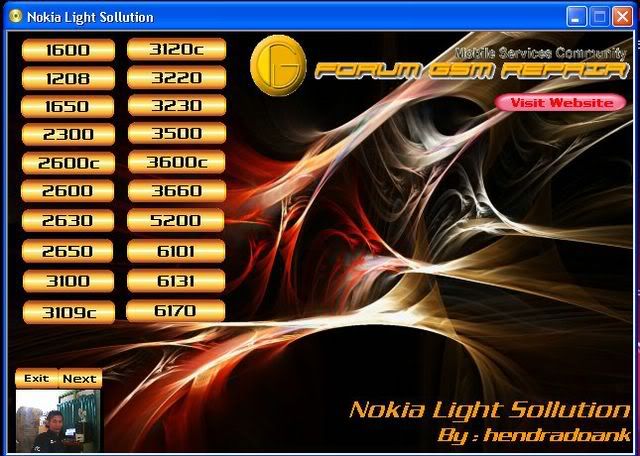
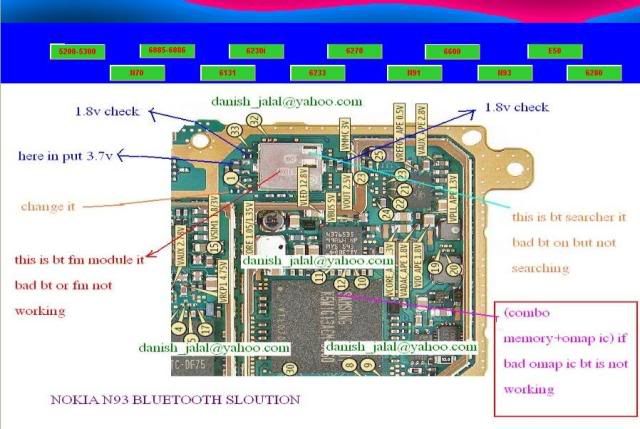
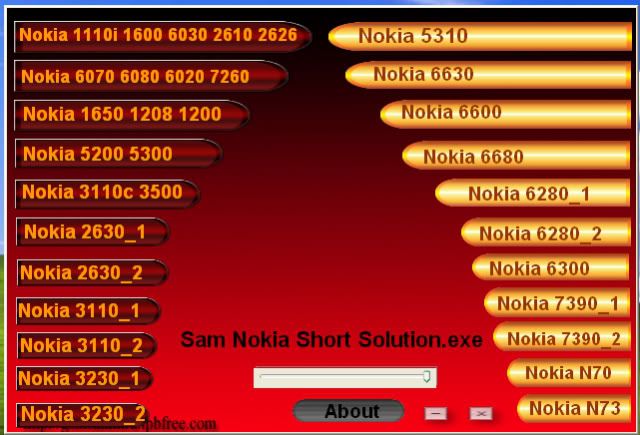
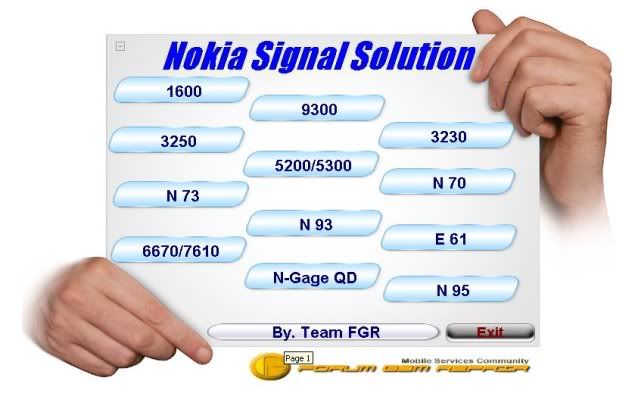
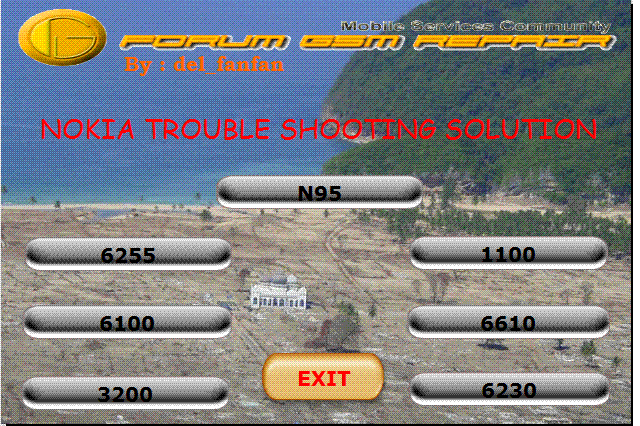
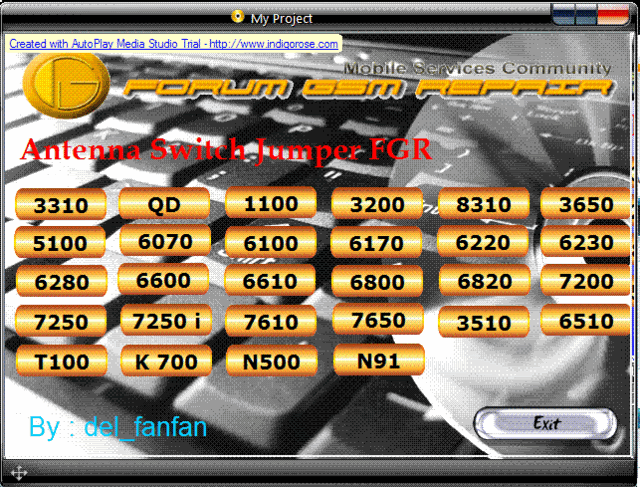
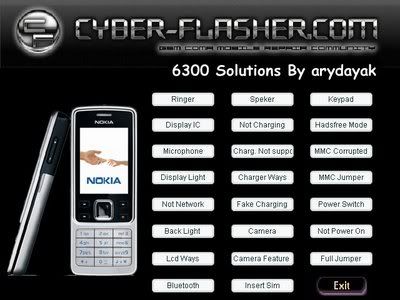
Total Nokia Hardware Solution - Colection

Total Nokia Hardware Solution - Colection

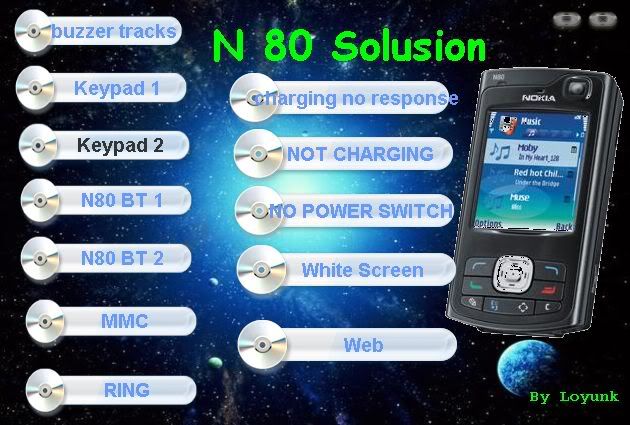
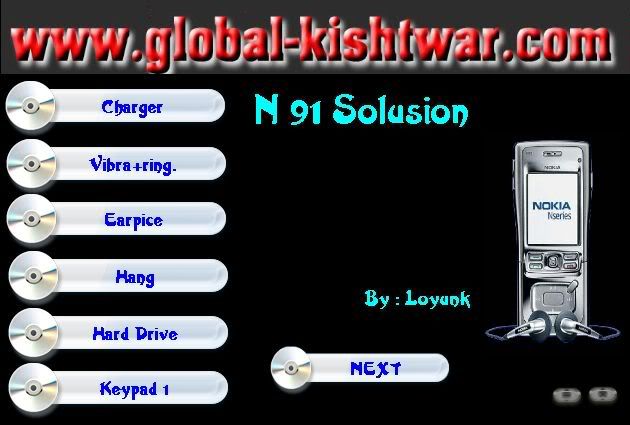
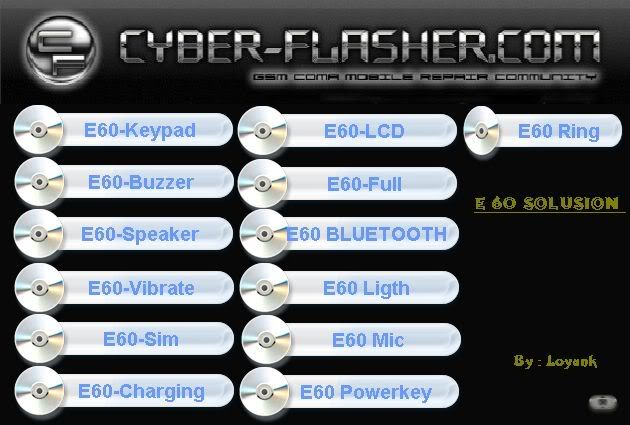
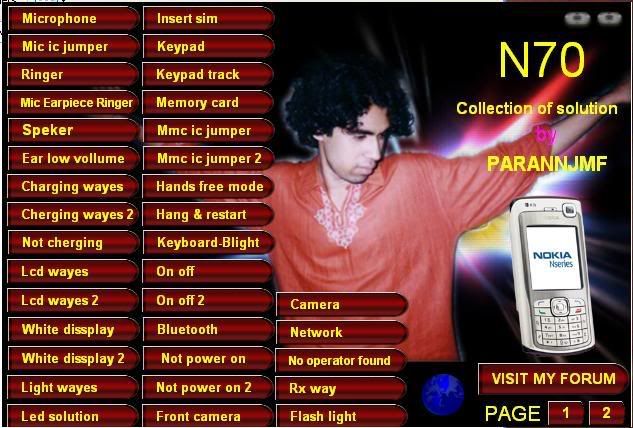
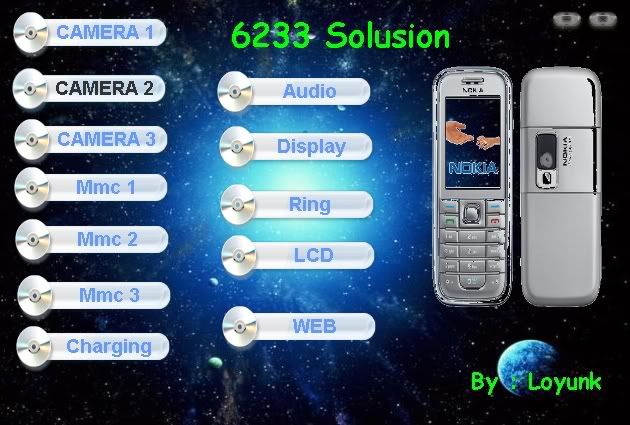
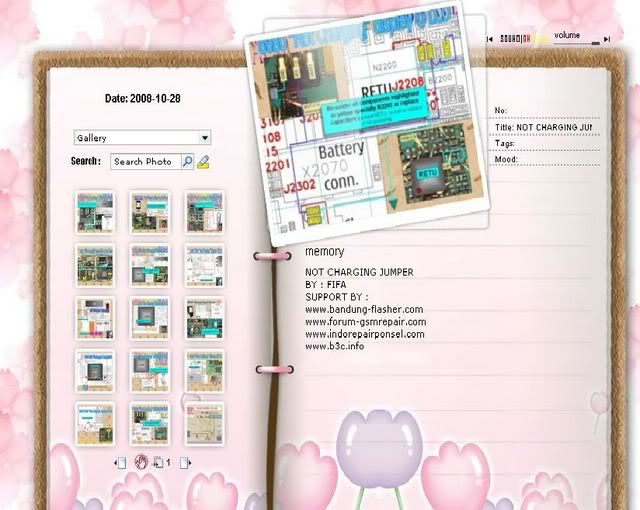
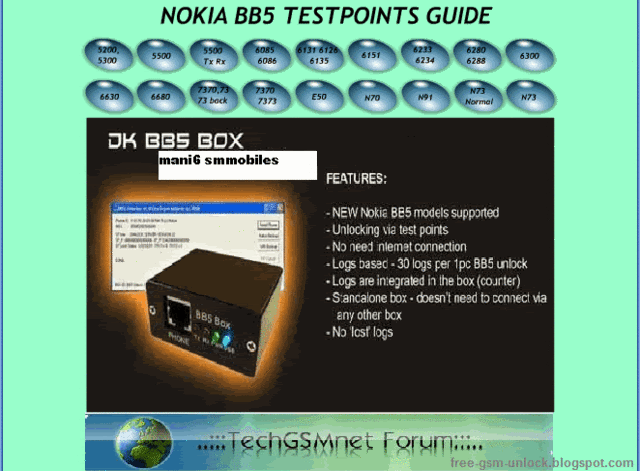
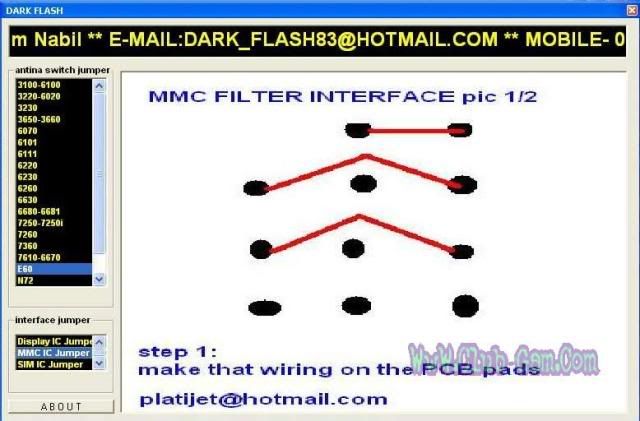
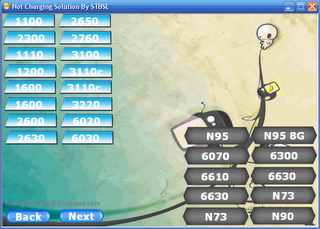
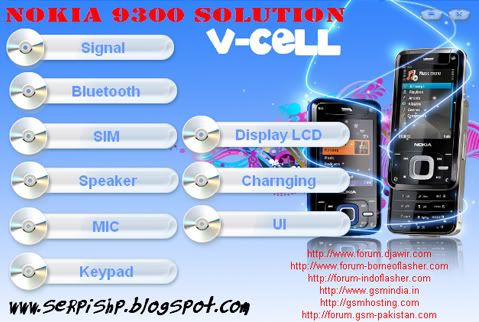
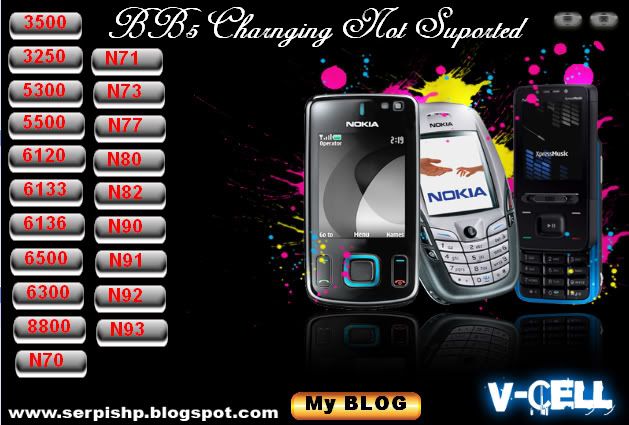
Download Nokia BB5 Charging not supported, not charging, keypad not working, mouthpiece, lcd screen display proble, memory card problem, LED backlight, jumper and modification ways, line paths 1100 2300 1110 1600 2100 2600 2610 2650 3100 6100 3120 3200 3210 3220 3230 3250 3300 3310 3410 3510 3650 3660 5100 5140 5210 5300 5500 6020 6030 6060 6070 6101 6110 5110 7110 6111 6131 6170 7270 6210 6220 6230 6233 6234 6255 6255i 6246 6256i 6260 6270 6280 6310 6600 6610 7210 7250 6630 6680 6800 6820 7200 7260 7370 7610 6670 7650 7710 8210 8310 6510 8800 8850 8910 9500 Ngage QD E60 E61 N70 N72 N73 N80 N90 N913109, 3110, 3250, 3500, 5200, 5300, 5310, 5500, 5610, 5700, 6085, 6086, 6110, 6120, 6125, 6131, 6136, 6151, 6233, 6267, 6270, 6280, 6288, 6290, 6300, 6301, 6500c, 6500s, 6555, 6630, 6680, 6681, 7370, 7373, 7390, 7500, 7900, 8600, e50-1, e50-2, e60, e61, e61i, e62, e65, e70, e90, n70, n71, n72, n73, n76, n80, n81, n82, n90, n91, n92, n93, n93i, n95, 3230, 3650, 3660, 6260, 6600, 6670, 7610, 7650, Ngage, NgageQD, 1100, 1101, 1110, 1110i, 1112 ,1200, 1208, 1600, 1650, 2300, 2310, 2600, 2600c, 2610, 2626, 2630, 2650, 2652, 2760, 3100, 3120, 3200, 3220, 3300, 3510, 3510i, 5100, 5140, 5140i, 6020, 6021, 6030, 6060, 6070, 6080, 6100, 6101, 6102, 6103, 6111, 6170, 6220, 6230, 6230i, 6310, 6310i, 6510, 6610, 6610i, 6800, 6810, 6820a, 6822a, 7200, 7210, 7250, 7250i, 7260, 7270, 7280, 7360, 7380, 8310, 8800, 8800d, 8910, 8910i, 2100, 3210, 3310, 3330, 3410, 5110, 5210, 5510, 6110, 6150, 6210, 6250, 7110, 8210, 8810, 8850, 5000, 6121c, 6220c, 1680c, 7070, e66, e71, 7310, 6600s


Download
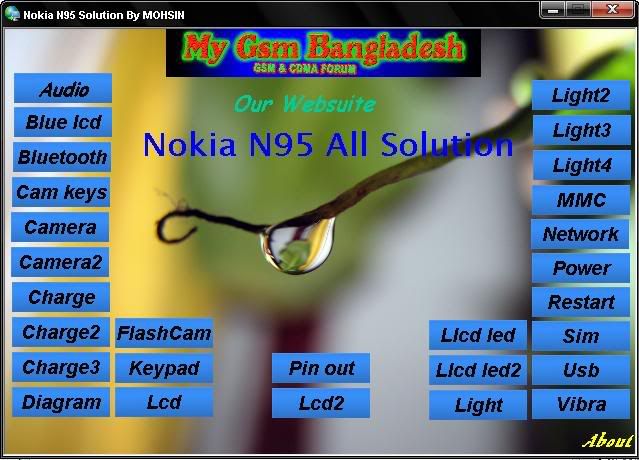
Nokia N95 Hardware solution, Audio, Blue screen display, no power, no display, no network.


Download
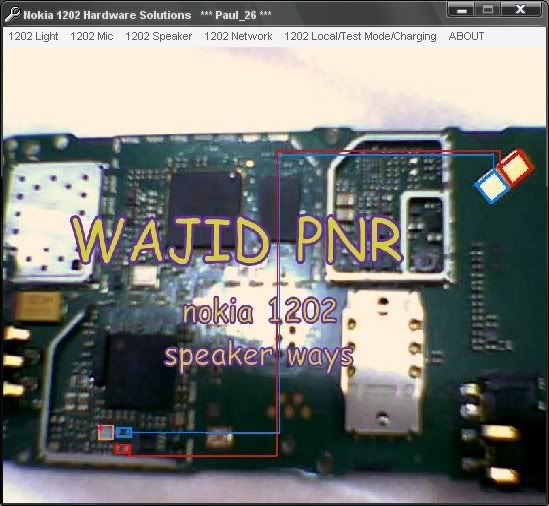
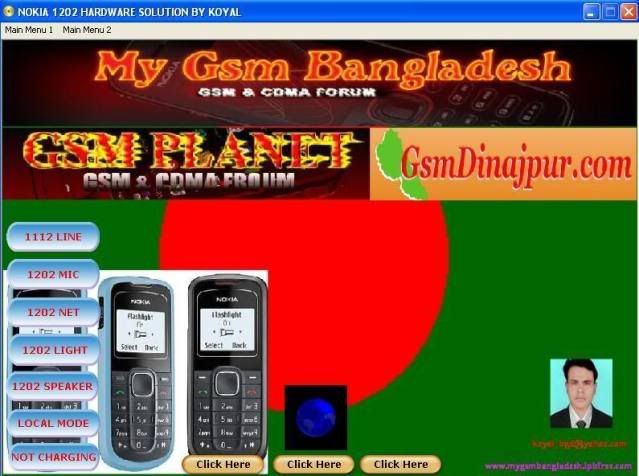
Nokia 1202 hardware solution


Download


Download

Enjoy..
Followers