Apr 30, 2011

Flash erasing guide all in one exe


Flash erasing guide all in one exe
Download
Part 1

Part 2

Daily iPad App Deals

Check out another 8 more apps on sale today too...

Apr 24, 2011

Quad band 4 SIM cards phone E5 Specifications

http://www.agoodseller.com/images/WANK-E5-E5-Phone-G-36264_250.jpg

Specifications

1)Model No:E5 with 4 SIM cards
2)4 SIM cards,
3)FM, MP3,MP4
4)quad band
5)single camera

Model No:E5 with 4 sim cards
4 sim cards phone

4 SIM cards 4 standby,Single Camera,FM\MP3\ MP4,Bluetooth,Anolog TV

Bands: GSM 850/900/1800/1900MHz

Display: 2.0 inch QCIF screen
Platform:MTK25+23
Camera:single camera
Dimensions: bar,50*109*4.8 mm
Supports Bluetooth stereo
Support GPRS wireless internet access
Support multi-langguage
Support Phonebook, Alarm clock,notepad,calculator,schedule,calling head portrait,time etc.
Accessories: Battery*1, Earphone*1, Data Cable *1, Charger*1, User's Manuel *1

i9000 Galaxy Download Mode Solution

Welcome to Australia !!!

I hope this will help you with i9000.

Too many people having the problem to put i9000 in downlaod mode to remove the user code ..

First Solution :

Code:
1. REMOVE BATTERY & PUT IT BACK   2. HOLD VOLUME UP BUTTON & MIDDLE BUTTON (HOME BUTTON)   3 WHILE HOLDING THIS TWO BUTTON PRESS POWER BUTTON AND REALEASE(PRESS POWER BUTTON ONLY ONCE)   4.IT WILL POP UP WITH HARD RESET MENU   5. SCROLL DOWN TO FACTORY RESET WITH VOLUME DOWN BUTTON THEN PRESS CENTER BUTTON OR HOME BUTTON   6. THEN PRESS VOLUME DOWN BUTTON TO SELECT YES FACTORY SETTINGS THEN PRESS CENTER BUTTON   7. SELECT REBOOT DEVICE AND PRESS CENTER BUTTON

2nd Solution :

Code:
1. Turn the power off. If your Samsung Galaxy S is frozen, pull the battery out and reinsert it 2. Hold the Volume Down button 3. Press and release the Power button 4. You are now presented with a menu that allows for Fastbook, Recovery, Clear Storage, and Simlock 5. Select Clear Storage by pressing the Volume Down button 6. Press and release the Power button 7. Now simply confirm your decision: Volume Up for YES and Volume Down for NO
Final Solution :

Code:
Download Android sdk  Extract this at the loacation c:\AndroidSDK   Connect phone to PC and Install Drivers  now go to Start > RUN > type cmd  go to this directrory  "  c:\AndroidSDK\tools   "  now type " adb reboot download "  Your phone will reboot and will go into bootmode :)
Now Use this method to remove the security code :

i-thinkBIG: Samsung Galaxy S Flashed via ODIN


Note that .. above method will help you to :


Debrand the phone

Flashing the phone

Remove User Data


Install Chinese langauage into the phone


Hope it will help your problme

LITTLE MASTER

Apr 21, 2011

iPad 3G Tracking Encryption

Today it was revealed that iPads and iPhones have been tracking and storing location data and backing it up to iTunes every time you sync. The location data stored on your computer is accessible to malicious apps or anyone else who uses your machine and is unencrypted but should be.


Steps to encrypt iPad location data
  • Plug in your iPhone or iPad into your Mac's USB port and launch iTunes.
  • Select your device under "Devices" in iTunes.
  • Scroll down to the bottom of the summary page and check the box next to "Encrypt iPhone backup."
  • Choose a password that will be used to access your phone's backups

Apr 11, 2011

Basebands 05.14.02, 05.15.04, 05.16.00 Unlock Status

MuscleNerd of iPhone dev-team has leaked some updates regarding iPhone 3GS baseband downgrade, which will help users who stuck on baseband 5.14.02, 5.15.04 and 5.16.00 to upgrade to 6.15.00 then downgrade to 5.13.04 baseband which is already can be unlocked with the existing version of Ultrasnow.


for those at 05.14, 05.15 or 05.16 I really don't see an unlock coming. Rather, it'll be: update to 06.15, then down to 05.13
(because the downgrade from 06.15 goal is much higher priority than explicit 05.14,05.15, or 05.16 unlock. Achieves same.)
But they won't develop a direct method to unlock 5.14.02, 5.15.04 and 5.16.00 basebands. Moreover this downgrade will fix the GPS issue which found after upgrading to iPad baseband 6.15.00.

Apr 10, 2011

Dfu loop solution for iphone 3gs

here is the fix for ur dfu problems,,..
Need softwares:
1. Tiny umberlla
2. Firmware 4.1
3. Firmware 4.3.3
4.redsn0w 9.6xxx
5 itunes


step 1.
Open ur tiny umberlla and start tss service
step 2.. Open redsn0w and select 4.1 firmware and conncet ur phone with dfu loop phone,, then just tick juest enter pwned dfu mode.. And finish it... Now ur phone pwned dfu mode.

Step3.. Now open itunes and restore with official 4.1 firmware.. Will flash ur phone and end with 1015 error.... And dfu mode again...

Step 4... Very important one now close ur tiny umberlla
step 5...open ur itunes now and restore with 4.3.3 official firmware (dont use pwned dfu now and dont use tiny umberlla.. This mistake lead us to dfu mood again)... Again ends with 1015 error and ur phone now diplay low battery symbol or recovery mode.. No problem...(if u have low battery symbol.. Wait to charge for sometime)

step 5... Now use redsn0w with 4.3.3 and tick and jailbrake it...

Struck while jailbraking ,,, now again repeat the same procedure


now ur phone will be activated and work fine ... Now use ultrasnow to unlock from cydia... Now ur phone is unlocked and untechred .... Reply me ....

Apr 9, 2011

UniversalBox added again NEW BlackBerry MEP's

Dear Universalbox Users,


We have added these new MEPs for our Blackberry unlock function.
Enjoy UB.

MEP-39371-001
MEP-40488-002
MEP-40954-001


..so here is the complete list with all available MEP's we're supporting now

  • MEP-04103-001
  • MEP-04103-002
  • MEP-04103-004
  • MEP-04104-003
  • MEP-04104-004
  • MEP-04104-005
  • MEP-04104-006
  • MEP-04104-007
  • MEP-04546-001
  • MEP-04598-003
  • MEP-04598-004
  • MEP-04598-005
  • MEP-04626-001
  • MEP-04626-002
  • MEP-04938-001
  • MEP-04938-002
  • MEP-05277-001
  • MEP-05277-002
  • MEP-05277-004
  • MEP-05277-005
  • MEP-06041-001
  • MEP-06041-003
  • MEP-06041-004
  • MEP-06041-005
  • MEP-06041-006
  • MEP-06041-007
  • MEP-06041-008
  • MEP-06041-009
  • MEP-06041-010
  • MEP-06041-011
  • MEP-06068-001
  • MEP-06068-002
  • MEP-06259-002
  • MEP-06259-003
  • MEP-06423-001
  • MEP-06424-001
  • MEP-06424-002
  • MEP-06529-001
  • MEP-06529-002
  • MEP-06530-001
  • MEP-06530-002
  • MEP-06810-002
  • MEP-06811-003
  • MEP-06812-001
  • MEP-06812-003
  • MEP-06812-004
  • MEP-06813-001
  • MEP-06813-002
  • MEP-06814-001
  • MEP-06814-002
  • MEP-06814-004
  • MEP-06814-005
  • MEP-06849-001
  • MEP-06849-002
  • MEP-06893-001
  • MEP-06899-001
  • MEP-06899-002
  • MEP-07321-002
  • MEP-07484-001
  • MEP-07484-002
  • MEP-07484-003
  • MEP-07484-004
  • MEP-07484-005
  • MEP-07484-006
  • MEP-07484-007
  • MEP-07705-002
  • MEP-07705-003
  • MEP-07722-001
  • MEP-07722-002
  • MEP-07722-003
  • MEP-07723-001
  • MEP-07723-003
  • MEP-07723-004
  • MEP-07723-005
  • MEP-07723-006
  • MEP-07723-007
  • MEP-07754-001
  • MEP-08209-001
  • MEP-08209-002
  • MEP-08209-003
  • MEP-08318-001
  • MEP-08395-001
  • MEP-08448-001
  • MEP-08448-002
  • MEP-08589-001
  • MEP-08881-001
  • MEP-08882-001
  • MEP-08918-001
  • MEP-09004-001
  • MEP-09070-001
  • MEP-09149-001
  • MEP-09292-001
  • MEP-09292-002
  • MEP-09292-003
  • MEP-09292-004
  • MEP-09292-005
  • MEP-09292-006
  • MEP-09292-008
  • MEP-09293-001
  • MEP-09625-001
  • MEP-09625-002
  • MEP-09667-001
  • MEP-09690-001
  • MEP-09747-001
  • MEP-09783-002
  • MEP-09783-003
  • MEP-09821-001
  • MEP-09821-002
  • MEP-09821-003
  • MEP-09917-001
  • MEP-09938-001
  • MEP-10073-001
  • MEP-10129-001
  • MEP-10129-002
  • MEP-10129-003
  • MEP-10129-004
  • MEP-10129-005
  • MEP-11016-001
  • MEP-11139-001
  • MEP-11139-002
  • MEP-11139-003
  • MEP-11139-004
  • MEP-11139-005
  • MEP-11139-006
  • MEP-11246-001
  • MEP-11246-002
  • MEP-11414-001
  • MEP-11414-002
  • MEP-11534-002
  • MEP-11534-004
  • MEP-11534-005
  • MEP-11534-006
  • MEP-11534-007
  • MEP-11534-008
  • MEP-12186-001
  • MEP-12209-003
  • MEP-12209-004
  • MEP-12209-006
  • MEP-12209-007
  • MEP-12209-008
  • MEP-12488-001
  • MEP-12565-001
  • MEP-12579-001
  • MEP-12579-002
  • MEP-12599-003
  • MEP-12622-002
  • MEP-12907-002
  • MEP-12978-001
  • MEP-12980-001
  • MEP-12980-002
  • MEP-13188-001
  • MEP-13188-002
  • MEP-13188-006
  • MEP-13188-007
  • MEP-13188-008
  • MEP-13188-010
  • MEP-13710-001
  • MEP-13928-001
  • MEP-13928-002
  • MEP-13988-001
  • MEP-13990-001
  • MEP-14052-001
  • MEP-14052-002
  • MEP-14074-001
  • MEP-14074-002
  • MEP-14074-003
  • MEP-14150-001
  • MEP-14260-001
  • MEP-14260-002
  • MEP-14896-001
  • MEP-14896-002
  • MEP-14896-003
  • MEP-14896-004
  • MEP-14896-005
  • MEP-15159-001
  • MEP-15159-002
  • MEP-15326-001
  • MEP-15326-002
  • MEP-15343-001
  • MEP-16272-002
  • MEP-16272-003
  • MEP-16272-005
  • MEP-16352-001
  • MEP-16419-001
  • MEP-16472-001
  • MEP-16826-001
  • MEP-17232-001
  • MEP-17490-001
  • MEP-17568-002
  • MEP-18601-001
  • MEP-18637-001
  • MEP-19322-003
  • MEP-19877-001
  • MEP-20099-002
  • MEP-20099-004
  • MEP-20099-009
  • MEP-20166-001
  • MEP-20454-001
  • MEP-20669-001
  • MEP-21545-001
  • MEP-21878-001
  • MEP-22793-001
  • MEP-23361-001
  • MEP-24124-001
  • MEP-24409-002
  • MEP-24660-001
  • MEP-24667-001
  • MEP-24667-002
  • MEP-24667-003
  • MEP-24723-001
  • MEP-24723-002
  • MEP-26594-001
  • MEP-26900-003
  • MEP-27488-001
  • MEP-27501-003
  • MEP-28240-002
  • MEP-28364-001
  • MEP-28555-001
  • MEP-29080-002
  • MEP-29318-001
  • MEP-30218-001
  • MEP-30218-002
  • MEP-30638-001
  • MEP-30669-001
  • MEP-31845-001
  • MEP-33006-002
  • MEP-34723-001
  • MEP-39371-001
  • MEP-40488-002
  • MEP-40954-001


Best regards: UB Team

UniversalBox X86,X64 WHQL signed driver

You can use WHQL signed UB driver from now. Drivers can be downloaded from UB website.
Old driver files as a clean install will result in a warning window like bellow.


This warning is not fatal to the install, but many customers reported us this wishes. The WHQL process assigns a new digital signature to the CAT files, and prevents the warning window from appearing. With the release of Windows XP, Vista, 7 64-bit edition, Microsoft requires signed device drivers. It is likely that this requirement will carry forward to new operating system releases as well.

Rapidshare link

Ultrasn0w unlockers please stay away from ios 4.3.3

Ultrasn0w unlockers ultrasn0w is not yet fixed for ios 4.3.3. Please don't update until we notify you.
Even if you installed ultrasn0w there won't be tower and network signals.
Stay tuned with us to get latest news & feeds

Unlock & Jailbreak your iphone at any version

Jailbreak Iphone 2g/3g/3gs/4g
Jailbreak IOS 3.0-3.1.2
Jailbreak IOS 3.1.3
Jailbreak IOS 4.0-4.2.1
Jailbreak IOS 4.3.1
Jailbreak IOS 4.3.2

To Unlock your iphone 2g you could download And install Bootneutor through cydia after jailbreaking your iphone.
To Unlock your iphone 3g/3gs/4g at any versions with ultrasn0w supporting basebands only (UNLOCKER)


Note:- Please install afc2add through Cydia to proceed your job with cyder.
Unlock only works after Jailbreaking your iphone @ installing afc2add.

To Unlock your iphone at any versions (UNLOCKER)

Android features heavily in buyers’ plans

More people are planning to buy an Android handset than an iPhone in the next year according to a newly published survey. It makes a clean sweep, with the system also taking top spot for recent sales and overall usage.

The survey of phone users by Nielsen covered three main points. The first is described by the researchers as covering people’s desires, but that’s slightly misleading. The question is indeed what phone people want, but it was posed only to people who say they plan on buying a new phone in the next year. That’s sure to have caused confusion between what phones people want to buy and what phones they intend to buy: for example, people might love a particular phone but either consider it too expensive or not be able to get good service in their area.

Whatever the reasoning, Android took top spot with 31 percent, just pipping the 30 percent for the iPhone. That’s a reversal of a 33-26 iPhone lead last summer. There are also slight drops for the figures for BlackBerry (11 percent) and Windows (six percent), with 20 percent of people saying they aren’t sure.

The next question, what phone people actually bought in the past six months, has a more dramatic Android lead: it polled 50 percent compared to Apple’s 25 percent. At first glance that might seem incompatible with the figures about desired phone, but there are a couple of possible explanations beyond it simply being a different sample group.

Firstly, it’s a comparison of desired or planned sales against actual sales, and it certainly makes sense that a fair proportion of people who’d like to buy an iPhone wind up getting an Android model instead. Secondly, there are two timescales in play: actual sales from September 2010 through March 2011, several months after the release of the iPhone 4 and the initial rush of purchases by the most avid users; and March 2011 through March 2012, a period during which most users will be anticipating a new iPhone model’s release.

Finally Nielsen asked what systems people are running, regardless of when they bought their smartphone. That showed a clear lead for Android on 37 percent, compared with 27 percent for Apple and 22 percent for BlackBerry. That’s roughly in line with other recent estimates, such as those based on viewers of mobile adverts. One such measure in March had Android on 33 percent, so the new 37 percent figure is likely a combination of genuine growth and sampling error.

Apr 8, 2011

Nokia all mic solution 2011


Here.....

BB5 REPAIR hot 2011


Download...

Nokia N900 Latest Hardware Solution pack 2011

Nokia N900 Latest Hardware Solution pack 2011


Download....
http://www.4shared.com/file/6MzxQ27J/Nokia_N900_Solution_exe_2011.html

Nokia Hardware Solution 2011

Nokia Hardware Solution 2011
Here...
Download
mobileEx blackberry tool v1.0

List of Available MEP in the database server (01/02/2010):

MEP-12579-001
MEP-11139-001
MEP-06424-001
MEP-11139-004
MEP-11139-006
MEP-11139-003
MEP-11139-002
MEP-04104-003
MEP-11139-005
MEP-05277-001
MEP-14260-001
MEP-06899-001
MEP-06814-002
MEP-06893-001
MEP-04598-004
MEP-10129-001
MEP-06811-003
MEP-06810-002
MEP-06530-002
MEP-06530-001
MEP-06813-001
MEP-12579-002
MEP-07705-002
MEP-06259-002
MEP-08318-001
MEP-08395-001
MEP-13988-001
MEP-09004-001
MEP-08448-001
MEP-12186-001
MEP-13928-001
MEP-06041-003
MEP-06068-001
MEP-06041-001
MEP-07484-002
MEP-08209-002
MEP-09747-001
MEP-04104-005
MEP-07722-003
MEP-04546-001
MEP-07722-001
MEP-04938-002
MEP-04938-001
MEP-09783-002
MEP-09821-001
MEP-07722-002
MEP-07484-001
MEP-06849-001
MEP-06529-001
MEP-06529-002
MEP-04103-001
MEP-11246-001
MEP-14150-001
MEP-06813-002
MEP-15326-001
MEP-15326-002
MEP-14074-001
MEP-10073-001
MEP-06812-003
MEP-06899-002
MEP-08918-001
MEP-11016-001
MEP-12978-001
MEP-12622-002
MEP-11414-002
MEP-10129-002
MEP-06814-004
MEP-06814-001
MEP-13188-001
MEP-13710-001
MEP-11414-001
MEP-06423-001
MEP-04598-005
MEP-11534-002
MEP-06259-003
MEP-08209-001
MEP-07754-001
MEP-09938-001
MEP-06068-002
MEP-06424-002
MEP-09293-001
MEP-08448-002
MEP-10129-003
MEP-08881-001
MEP-08882-001
MEP-15343-001
MEP-07321-002
MEP-09690-001
MEP-11534-004
MEP-14052-001
MEP-09149-001
MEP-12209-003
MEP-07484-003
MEP-06041-006
MEP-12209-004
MEP-09667-001
MEP-04103-002
MEP-07484-004
MEP-14896-001
MEP-09783-003
MEP-04626-001
MEP-12599-003
MEP-06041-005
MEP-07723-001
MEP-14260-002
MEP-04104-006
MEP-12565-001
MEP-04626-002
MEP-15159-001
MEP-05277-004
MEP-12488-001
MEP-08589-001
MEP-09917-001
MEP-06849-002
MEP-16352-001
MEP-14896-002
MEP-09070-001
MEP-16472-001
MEP-04104-007
MEP-07705-003
MEP-05277-002
MEP-06812-001
MEP-04598-003
MEP-12980-002
MEP-12980-001
MEP-16419-001
MEP-16272-002
MEP-06041-007
MEP-04104-004
MEP-17232-001
MEP-13990-001
MEP-11534-005
MEP-14896-003
MEP-17490-001
MEP-16826-001
MEP-06041-008
MEP-11534-006
MEP-06041-004
MEP-07484-005
MEP-18637-001
MEP-10129-004
MEP-19322-003
MEP-11534-007
MEP-17568-002
MEP-07723-003
MEP-09625-001
MEP-04103-004
MEP-12907-002
MEP-20454-001
MEP-09292-002
MEP-07484-006
MEP-20099-002
MEP-14896-004
MEP-20669-001
MEP-13188-002
MEP-19877-001
MEP-08209-003
MEP-07484-007
MEP-15159-002
MEP-20099-004
MEP-21545-001
MEP-14896-005
MEP-20166-001
MEP-18601-001
MEP-13928-002
MEP-22793-001
MEP-14074-002
MEP-20099-009
MEP-23361-001
MEP-09821-002
MEP-11534-008
MEP-24124-001
MEP-13188-006
MEP-07723-004
MEP-24723-002
MEP-24723-001
MEP-10129-005
MEP-16272-003
MEP-24667-001
MEP-24660-001
MEP-12209-006
MEP-24409-002
MEP-13188-007
MEP-07723-005
MEP-12209-007
MEP-26594-001
MEP-14052-002
MEP-26900-003
MEP-05277-005
MEP-06041-009
MEP-13188-010
MEP-12209-008
MEP-27488-001
MEP-28364-001
MEP-16272-005
MEP-09292-003
MEP-28240-002
MEP-09292-001
MEP-28555-001
MEP-09292-004
MEP-13188-008
MEP-27501-003
MEP-14074-003
MEP-11246-002
MEP-29318-001


Please chk updated MEP list alwais in this thread:
Supported MEP for Unlock by MXKEY BlackBerry tool


Download from:
MX-KEY - Official mirror
RapidShare: 1-CLICK Web hosting - Easy Filehosting
also available in support area and download page


Buy only from MX-KEY authorized resellers:
!! MX-KEY Dongle RESELLERS !! - GSM-Forum


MX-KEY blackberry tool v1.0 public discussion thread:
Public discusion about MXKEY BlackBerry tool v1.0 - GSM-Forum


MX-KEY official web sites:
International - http://www.mx-key.com (in construction)
Indonesia - http://id.mxkey.biz/
India - http://www.mx-key.in

XKEY BlackBerry Update

new turan.gif MXKEY BlackBerry Update

MXKEY Added 8 new BLACKBERRY MEP's:

MEP-06041-010
MEP-06812-004
MEP-06814-005
MEP-07723-006
MEP-07723-007
MEP-09292-005
MEP-09821-003
MEP-21878-001
First of all, We thank again all the working group who made this wonderful product and I expect him every success

gbluez, i-mobile, MobileEx-Team, MANOLE

They have my full appreciation

Not putting any response until the completion of the subject

HOW TO RUN program mobileEx_blackberry


blackberry USB and Modem Drivers here
for those who are having problems downloading desktop manager for blackberry because of its huge size..

now you can download only USB and modem drivers
here...

Another Blackberry Driver

BlackBerry_DRIVER
DESKTOP MANAGER EASY LINK

How To Unlock all Blackberry INSTRUCTION VIDEO by mx-key

1ST U need UR FREE CODE IN MX KEY SERVER.

MX-KEY IS BEST TOOL IN BLACKBERRY WORLD


How to enter unlock code on BB 8900


1. Insert any sim card
2. Turn off all of the wireless connections
3. Go to Options
4. Select Advanced Options
5. Select SIM Card
6. Enter mepd (you will not be able to see the typed info)
7. Enter mep2
8. Now it will say enter network mep code

BLACKBERRY


Unlock Instruction for Blackberry Storm (9500)


1. Insert any sim card

2. Turn off all of the wireless connections
3. Go to Options
4. Select Advanced Options
5. Select SIM Card
6. Hit menu select show keybord
7. Enter mepd (you will not be able to see the typed info)
8. Enter mep2
9. Now it will say enter network mep code
--------------------------------------------------------------------------------
Unlock Instruction for blackberry 8300 series, 8800 series, Bold n9000

***** You must have a SIM card in your phone to complete these steps ( Can be active or inactive ) *****

1) Go to Settings Menu =*gt; and then Options
2) Select Advanced options =*gt; and then Sim Card
3) Type MEPD using your Blackberry keyboard (NOTE: You will not see any text appear on nthe screen while typing MEPD)
4) Type MEP then [ALT BUTTON] then 2 on your Blackberry keyboard (NOTE: You will not see any text appear on the screen while typing MEP2)
5) You should be presented with a prompt *quot;Enter Network MEP Code*quot;.
6) Enter the Unlock Code
7) Press Enter (You can use the track ball as well)
8) Device is now unlocked
--------------------------------------------------------------------------------
Unlock Instruction for Blackberry 8100 Pearl

***** You must have a SIM card in your phone to complete these steps (Can be active or inactive) n*****

1) Go to Settings Menu =*gt; and then Options
2) Select Advanced options =*gt; and then Sim Card
5) Type MEPPD (NOTE: You will not see any text appear on the screen while typing MEPPD)
6) Type MEPP then [ALT BUTTON] then 2 (NOTE: You will not see any text appear on the screen while typing nMEPP2)
6) Enter the Unlock Code
7) Press Enter (You can use the track ball as well)
8) Device is now unlocked
--------------------------------------------------------------------------------
Unlock Instruction for Blackberry 8700

***** You must have a SIM Card in your phone to complete these steps, (Can be active or inactive) n*****

1) Go to Settings Menu =*gt; and then Options
2) Select Advanced options =*gt; and then Sim Card
3) Type MEPD using your Blackberry keyboard n(NOTE: You will not see any text appear on the screen while typing MEPD)
4) Type MEP then [ALT BUTTON] then 2 on your Blackberry keyboard (NOTE: You will not see any text appear on the screen while typing MEP2)
5) You should be presented with a prompt *quot;Enter Network MEP Code*quot;.
6) Enter the Unlock Code
7) Press Enter (You can use the track ball as well)
8) Device is now unlocked
--------------------------------------------------------------------------------
Unlock Instruction for BlackBerry 6xxx 7xxx: ie 6230, 7100, 7290 etc..

***** You must have a SIM card in your phone to complete these steps ( Can be active or inactive ) *****

1) Go to Settings Menu =*gt; and then Options
2) Select Advanced options =*gt; and then Sim Card
3) Type MEPD using your Blackberry keyboard (NOTE: You will not see any text appear on the screen while typing MEPD) for all models, except 7100 will have to Type MEPPD
4) Type MEP then [ALT BUTTON] then 2 on your Blackberry keyboard (NOTE: You will not see any text appear on the screen while typing MEP2) for all models, except 7100 will have to Type MEPP2
5) You should be presented with a prompt *quot;Enter Network MEP Code*quot;.
6) Enter the Unlock Code
7) Press Enter n(You can use the track wheel as well)
8) Device is now unlocked

pls the inform that the convencional downloding system of blackberry set unlock process is not friendly so i am sending a video file which can help u to unlock blackberry easyly

and post here ur blackberry unlocking video


How to Unlock Blackberry 8100 Pearl


video
sprint 7700 keypad notworking solution

6300 china Auto-power, always shows Low battery 100% solution

6300 china Auto-power, always shows Low battery 100% solution

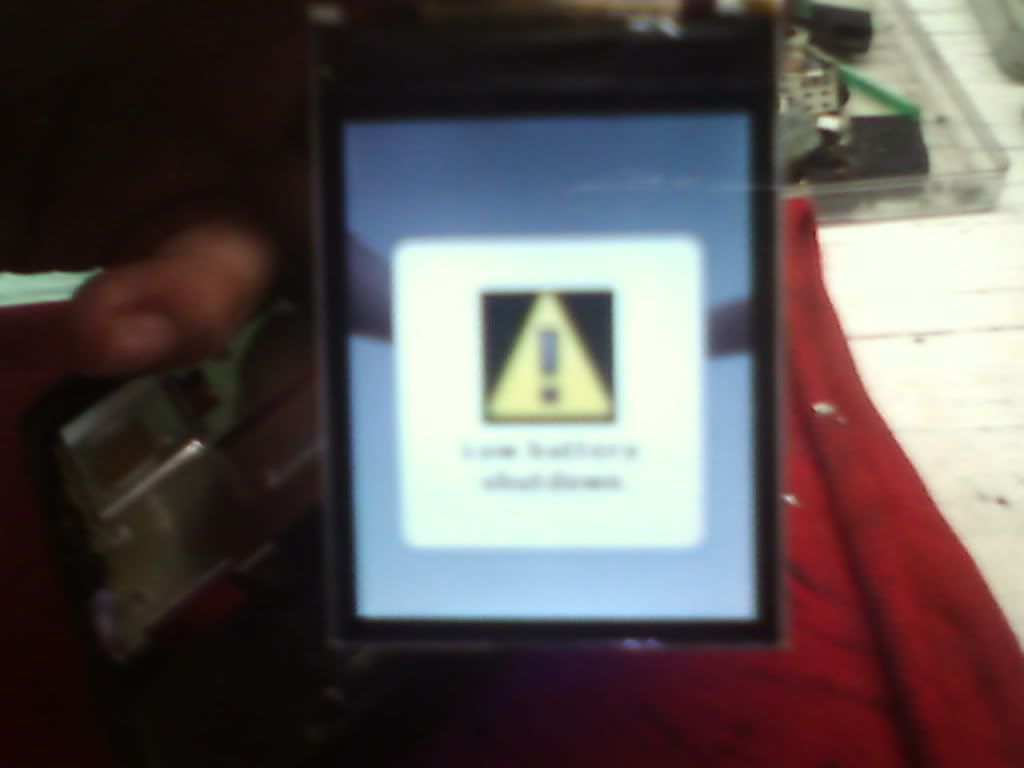
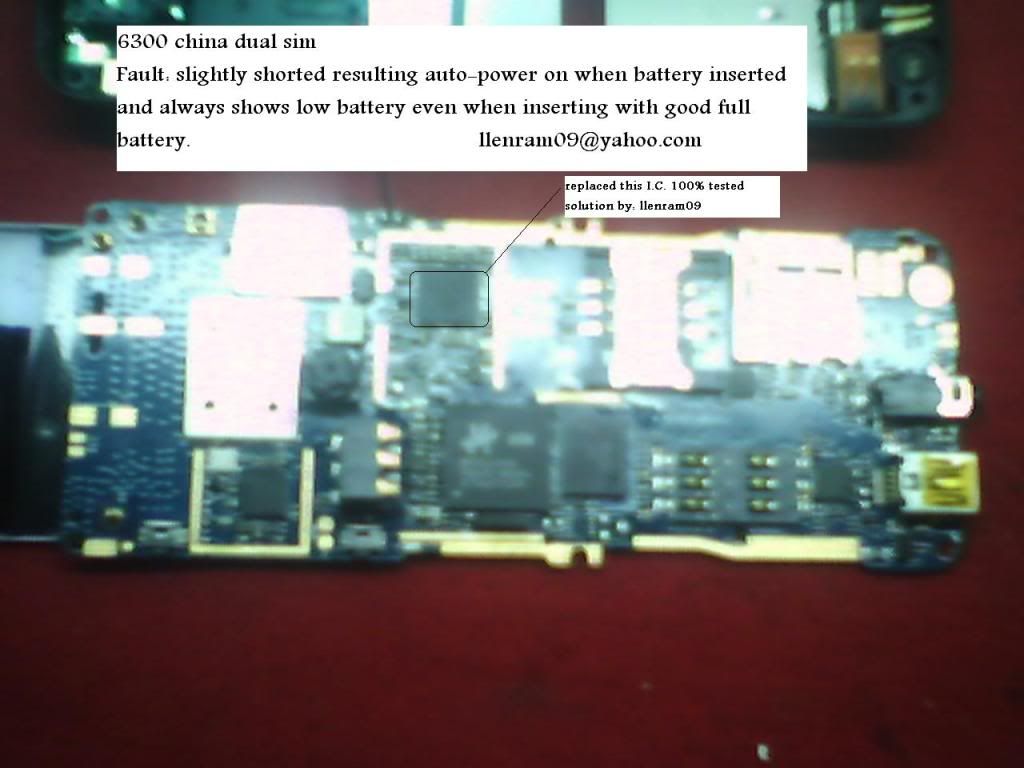
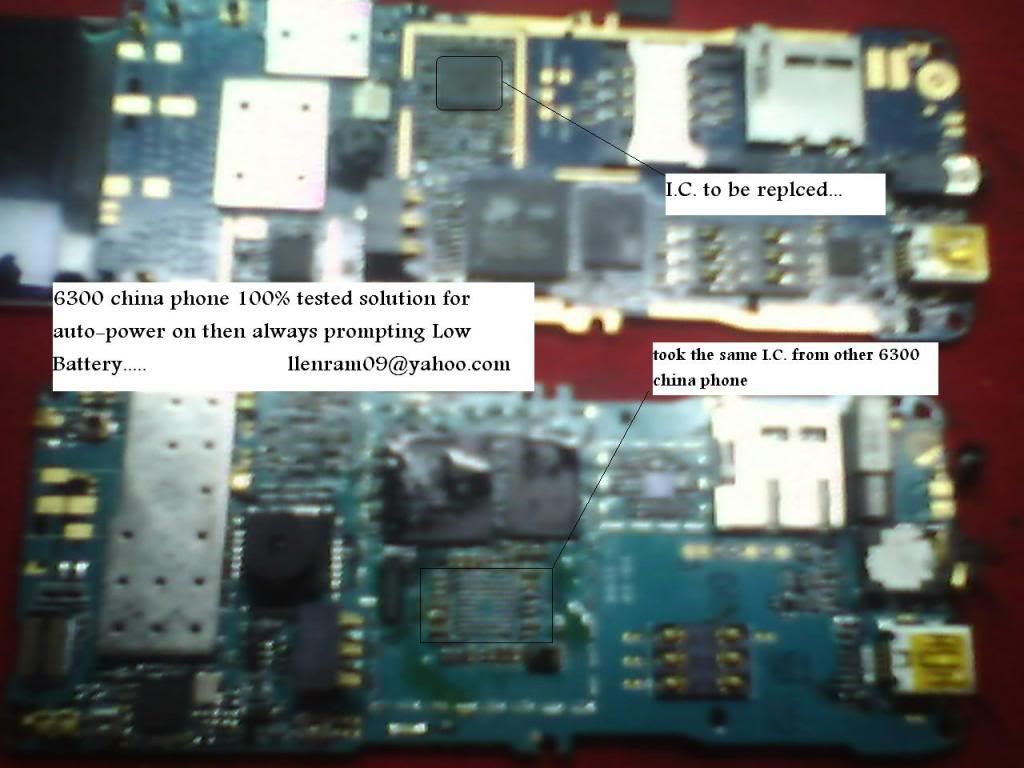
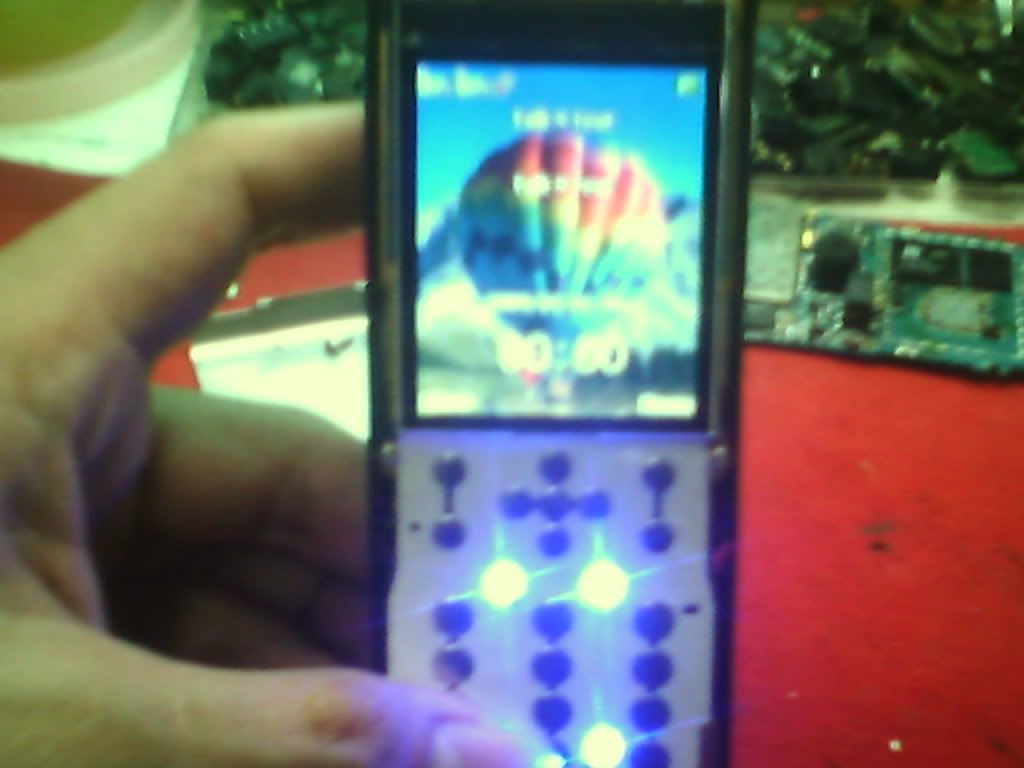
I just wanna share this simple solution for 6300 china phone which is Auto powering on when you placed its battery and then a prompt message of Warning LOW BATTERY always shows and then the unit will automatically turned off.


Unit Automatically power on when placing its battery and shows Warning Low Battery


My 100% tested solution


You can get the same Replacement I.C. from other 6300 china phone boards

All China 8 Leg Ringer ic 100%Tested solution

All China 8 Leg Ringer ic 100%Tested solution

China Ringer IC jumper Solution

new1.gif China Ringer IC jumper Solution

China Charging New Solution


Hot China Charging New Solution

All china 6 leg ic charging solution 100%tested

All china 6 leg ic charging solution 100%tested

ALL Latest 2010,2011 China Hardware Solution Workstation

ALL Latest 2010,2011 China Hardware Solution Workstation
Download

100% solution to upgrade 3G 3GS 4G to 4.1 without upgrading the baseband (windows)

use the latest version of redsnow i.e. 0.9.6b2

download it from here:

Redsnow

and download the stock original firmware 4.1 for the phone here:

Iphone 4G

Iphone 3GS

Iphone 3G


Step 1 ::

First you need to open Redsn0w 0.9.6b2 in Windows. The first screen will have you browse for your firmware file. You should navigate to the FACTORY firmware file that you downloaded. I don’t know why but they didn’t include the option to enter Pwned DFU mode on the first screen of Redsn0w so you have to select a factory firmware file to bypass this part of the process

Step 2::


After you have selected the factory firmware file that you downloaded, if you have an iPhone 3Gs it will ask you whether you have the old or new(patched) model. If you have the new(MC) model then select “YES” this is VERY important, if you have the new model and you select no you will have to restore with a factory 4.1 firmware file which will take away the possibility to jailbreak. (To identify if you have MC or Non MC model, go to Settings – General – About and scroll down to Model. If it’s MCXXXX then you have new (MC) model. If it’s something like MBXXXX, then you have old (non MC) model.)

Step 3::

Now click “next” and you will see Redsn0w apply kernel patches to the IPSW you selected.

Step 4::

On the next screen is where you’re gonna have a few different options. You may see more options than what are shown below, the important thing is that you want to select ONLY the option which is “Just enter pwned DFU mode right now” This option is basically doing what the DFU button in Pwnage Tool for Mac users does.

Step 5::

This is another CRUCIAL step, I cannot stress enough that you should ALWAYS read instructions carefully and make sure you are doing things right. Please power off your device while the device is plugged into the computer. DO NOT click “next” until your device is both powered off AND plugged into the computer.

Step 6::

This is a step we should all be quite familiar with, now we have to put the device into DFU mode. Just follow the on-screen instructions exactly how they are displayed and you will be fine.

Step 7::

If for whatever reason things get screwed up and you didn’t follow the instructions correctly you will see a screen like the one below. If that is the case please start over and read carefully, if you do not see a screen like the one below please continue to the next step!

Step 8::

Alright, we are nearly there! Congratulations on making it this far! We are but mere minutes away from having a jailbroken 4.1 device with the old(unlockable) baseband! After Redsn0w detects your device in DFU mode it will begin processing again and you will see it applying the Limera1n exploit to your device.

Step 9::

Alright, you are all set to restore your custom firmware! After you have applied the Limera1n exploit, you should see the screen below informing you that you should now be able to shift+restore in iTunes to restore with a custom firmware file. Click “Finish”

Step 10::

Now download the custom firmware for your phone and restore it
(using shift and restore)

Download the custom acitavted firmwares from here :

Iphone 4G

Part 1

Part 2

Part 3

Iphone 3GS

Part 1

Part 2

Iphone 3G

Part 1

Part 2

And you got the phone upgraded with the baseband intact

Apr 7, 2011

Sony Ericsson All Hardware Solution Pack Exe 2011

Sony Ericsson All Hardware Solution Pack Exe 2011

Sony Ericson Full Jumper

Sony Ericson Full Jumper

K500 / K508
RSI- K700,K500
Alien battery or Capacity Problem COMPONENT PLACING - handfree new -
K300 / K500 / K700 key joy - K500 / k300 / k700 Handsfree problems -
K500 K700 network problem 1800 or 900 - k500 keypad ic bypass - K500
keypad - K500 sim - K500i joystick - K500i keypad solution - K500 ant
switch - K500 / K508 / F500 display schematics - K500 Knatte chip - K500
led lcd K500 microphone - K500 microphone comp layout - K500 nosim -
K300 / K500 / K700 sim problem - SonyEric K500 / k700 audio1

K550
K550 keys - K500 mic - K550 mic2 - K550 charge ways - K550 MIC JUMPER -
K600 / K60x Test Point and disassembling manual v2 - K600 power switch
schematics - K600 system conector - K600 joystick repair - K600i key
and joystik ways - K600 key board and joystik

K610
K610
V630 / K610 handfree mode - K610 charging - K610 mic - K610 sim1 - K610
sim2 - K610 hands free - K610i Micways - K610i LCD - K610i / V630i sim
ways - K610 mic ways - K610 sim - T610 new on off ways

K700
F700 F500 not charg - 700 camera.rar - K300 mic hand free copy - K700
back light - K700 antenna switch - K700 lcd - K700 Modify light - K700
auto on off - K700 component placing - K700 hangat menu - K700i hang
solution - K700i joystick - K700 microfon - K700 joystick - K700 mic -
S700charge - K700I repair light lcd - Sys conector K700 - T230 LCD
light not working

K750
750 volume key - 1 2 3 left
software key - K750 Camera - K750 keypad - K750 / W800 / W700 light -
K750 charging - K750 joystick - K750 Lsd licht - K750 / W800 hang -
K750 Bluetooth problem - K750 charing problem - K750contrast - K750I
Display *amp; Keyboard - K750I Display *amp; Keyboard 2 - K750i key pad
jumper - K750i 4 IN 1 cable modify with Auto Power - K750i charging -
K750I sim way - K750 Joy jumper - K750 keyped problem - K750 LCD light
- K750 LCD way repair - K750mic - K750 on off and iluminations - K750
white screen - k750 camera - K750 charging - K750 joy schematics - K750
/ W800 repair microphone - K750 mmc - Label Info - N2980 comp placing -
Part List.rar - repair LED LCD K750 / W800

Trouble Shooting Guide
W700I Mic way - K750 camera - K790 - Joystic ways K790 - K790 not power
on - K790 - K790 lcd keypad light schematic - K790 joystick component -
K790 joystick schematic - K790 / K800 Joystick Way - K790 white display

K800
K790 / K800 Joystick Way - K800 charging problem - K800 IC Missing -
K800 key ways - K800 primary side - K800 secondary side - K800 speaker
- K800 illumination - K800i keypad - K800 joystick way - K800 keyboard
ways - K800 lcd light - K800 knop - K750 sim way

M600 speaker

P800
P800 charging - P800 charging2 - P800 signal problem - P800 no charging
- P800 LCD Connector - P800 LCD DC Converter part - P800 / N560 LCD DC
Driver Layout - P990 / P910 - mic P900 - P900 lcd ways - P900 mic -
P900 speaker ways - P910 / P900 charge ways - P900 / 910 not charging -
P990 - P990 mic ways - P990 charging way - P990 ring ear

T20
T20 self charge - T68 / T65.rar / T68 Buzzer - T68 Earphone - T68
Joystick - T68 joystick connections - T68 lcd - T68 lights - T68 lights
2 - T100 ericsson - T100 solution signal - T10x antena switch -
solution low signal T100 - T100 keypad - T100 audio - T100 ringer
T100 not charging


Pass= nurul47

Download

SonyEricsson Easy Hardware Tool

SonyEricsson Easy Hardware Tool


Category:
SonyEricsson Hardware

Description:

This Great application contains almost all SonyEricsson hardware solutions, with easy to understand and clear screen shots.
Note: See list for given solutions in this application.

Features:

This is very easy to use application, just install and run the application, and select your mobile solution from list and open.

you can also add your own solution screen shot image in this software, which should be in JPG, PNG, GIF or any other image format.

List of Given Solution in Software:


K300 Charging Problem
K300 K500 K700 Key+Joy
K300 Keypad Joy
K300 Scheme SIM
K300i Joystick
K300i Light Problem
K300i Mic
K300i Optimized Charging
K300i K700i Mic Solution100%
K300i Light
K300i Mic
K310 Backlight
K310 Charge
K310 Charge-2
K310 Handsfree
K310 Joy
K310 Joystick
K310 K510 Optimize Chargiing Solution
K310- K510 Joystck Tested
K310 Keypad Solution
K310 LCD Led
K310 Light
K310 Micro-1
K310 Micro-2
K310 SIM
K310 Sound
K310,K510 Optimize Charging Solution
K310 510 Sound IC
K310 Joystick Solution
K310 Mic Dr.M
K310i LCD Light Problem
K310-K510-SIMwaysm
K310LCD * Keypad Led
K320 Charge-1
K320 Charge-2
K320 Hands free
K320 Joystick
K320 LCD Led
K320 Micro-1
K320 Micro-2
K320 SIM
K320 Sound
K500-508 Auto Hands free
K500 Antenna Switch Shorting Solution
K500 Auto Hands Free
K500 Display Light Solution
K500 Insert SIM
K500 Insert SIM Solution
K500 K300 K700 Hands free Problems
K500 K700 Network Problem 1800 Or 900
K500 Keypad Ic Bypas
K500 Keypad Ic Bypass
K500 Keypad Solution
K500 Keypad Way
K500 LCD Led Ways
K500 LCD Led Ways-2
K500 LCD-Led
K500 Mic
K500 Mic -1
K500 Mic -2
K500 Mic Modified
K500 Mic Problem
K500 Mic Solution
K500 No SIM
K500 SIM Way
K500 SIM Way
K500 Sony Ericsson
K500 508 Keypad Ic Jumper
K500 Ant Swich
K500 LCD Led
K500 Microphone
K500 Microphone Comp Layout
K500 NoSIM
K500i Joystick
K500i Joystick Solution
K500i Keypad Solution
K500i Mic
K500i Soul Mic
K500i Keypad Solution
K500-K300
K500-K508 K-Pad Ic Bypass
K500-K700 Notcharging-2
K500mic Modified
K500-SIM
K510 +Ve Way
K510 Charge-1
K510 Charge-2
K510 Handsfree
K510 Joystick
K510 Joystick Way
K510 LCD Led
K510 Light
K510 Micro-1
K510 Micro-2
K510 SIM
K510 Sound
K550 Charge
K550 Mic
K550 SIM
K550 Charge Ways
K550 Mic jumper
K600 Key * Joystick
K600 On-Off
K600 Ring
K610 Handfree Mode
K610 K618 Micro-1
K610 K618 Micro-2
K610 K618 SIMways
K610 Mic Jumpe
K610 Mic Ways
K610 SIM
K610i V630i SIM Ways
K700 Joystick Full
K700 Joystick Full Solution
K700 Light
K700 Alien Battery
K700 Auto On Of Solution
K700 Freeze
K700 Hung
K700 Mic
K700 Mic Solution
K700 Microphone
K700 Joystick Solutions 190
K700i Joystick
K700i Repair Light Display
K700 mic
K700 SIM
K310 joy
K600 keypad Joystick
K750 mmc
K310-510 joy stick ways
K550 keys, Key Pad Solution
Keyleg * LCDleg
LCD Light
LCD Light 2
Led Problem
Light Key
Memory Problem 1
Memory Problem 2
Mic
Mic 2
Mic Solution Micro Mmc
N2980 Comp Placing
No Back Light
No Display When SIM Inserted
No Mic
Not See Memory Card
On - Off And Illuminations
P800 Charging
P800 Charging-2
P800 No Charging
P800 LCD Connector
P800 LCD Dc Converter
P800 N560 LCD Dc Driver Layout
P800nocharging 228
P990 Charge
P990 Mic Ways
P990 Micro
P990 SIM ways
P990 Ring Ear
Pa200061
Problem Light
Problem With Memory Sticks
R600 No Charging
R600 Line+
S500 W580 Audio
S700 Charging Solution
S700 Insert SIM
S700charge
S700charging Solution
S700insert SIM
Screen Off
SIM Ways
Speaker
T2x,T3xx,T6x Handefree
T10s LCD Ways
T10x Antenna Switch
T10x Display
T10x Antena Switch Solution
T28 Fallo-Cargo
T28 Pa Replace
T28 Resistance
T28 Solution
T65 -1
T65 Charging Repair
T65 SIM Ways
T65 1
T68
T68 Buzzer
T68 Buzzer Ways
T68 Earphone
T68 Light
T68 Lights-2
T68 Buzzer
T68 Earphone
T68 Joystick Connections 272
T68 LCD
T68 Lights
T68 Lights 2
T100 Fuse
T100 Not Charging
T100 Ringer
T100 Signal
T100 Solution Low Signal
T100 Not Charging
T100audio
T100keypad
T100ringer
T200 Audio Repair
T200 LCD
T230
T230 Buzzer Ways
T230 Charge
T230 Handsfree
T230 Jumpering Glass Ic
T230 Key 7,8,9,Up Not Working
T230 Key Malfunctioning
T230 Mic Details
T230 Mic Solution
T230 Notworking
T230 Ringer Ways
T230 Charg
T230 Charge
T230 Charging
T230 Key
T230 LCD Connector
T230 LCD Connector Layout
T230 Mic
T230 Mic Detail
T230 Mic Repair
T230 Msinterf
T230 Speaker
T230 T290 SIM Ways
T230 T290 Keypad Solution
T230 T300 SIM Interface
T230a-Charge
T230ringer2ls
T300 SIM Interface Comp
T300 SIM Interface Layout
T310 Audio
T310 Keypad
T310 Joystick
T310audio
T610
T610-630 Buzzer Ways
T610 Mic Solution
T610 Camera
T610 Camera Ways
T610 Joystick
T610 LCD 1
T610 LCD 2
T610 Mic Solution
T610 Mic Solution-2
T610 Mic Solution-3
T610 Mic Ways
T610 Not Charging
T610 SIM Ways
T610 T630 Joystick
T610 T630 Joystick Ways
T610newonoffways
T610-T630 Joystick
T630
V800 Net Problem
Varistors
W200 K310 K510 Insert SIM
W300 Charge
W300 Keypad
W300 Keypad-2
W300 LCDlight
W300 SIM
W300 Displaysin Luz
W300 Displaysinluz
W300 Mic
W300 SIM Ways
W300charginway
W300i Charging Solution
W300i Keypad Led Way
W300i Power On Off
W300i Vibrator Solution
W550 Charge
W550 Charge-2
W550 Keypad
W550 Light
W550 Speaker
W550 Tp
W580 Display Lights Shema
W600 Charge
W600 Charge-2
W600 Keypad
W600 Light
W600 Speaker
W600 Display W800 Bluetooth Problem
W800 Camera
W800 Charge-1
W800 Charge-2
W800 Contrast
W800 Hang
W800 Joystick
W800 Keypad
W800 Keypad-2
W800 LCDlight
W800 Led
W800 Micro
W800(W800i Or K750i) Backlight Repair
W800-k750-Camera Jumper
W810
W810 - W810i Key IC Jumper
W810 Backlight Repair
W810 Backlight Solution
W810 Camera
W810 Charge-1
W810 Charge-2
W810 Contrast
W810 Hang
W810 Joystick
W810 Keypad
W810 Keypad-2
W810 LCDlight
W810 Led
W810 Micro
W810 Backlight Repair
W810i During Camera Operation Exit To Menu Solution
W810i Key
W810 light
W810 mic
W830-Mmc
W81020-no LCD light
Z200 LCD Light
Z200 Mic
Z200 Mic 2
Z200 No Back Light
Z200 No Display Solution
Z200 No Display When SIM Inserted
Z200 No Mic
Z200 Problem Light
Z200 Screen Off
Z200 Varistors
Z200 charge
Z200 LCD Light
Z200 mic
Z200 mic 2
Z200 no Back Light
Z200no Display When SIM Inserted
Z200 no Mic
Z200 nodisplaysolution
Z200 problem Light
Z200 screen Off
Z200 varistors
Z300 SIM
Z300 SIM
Z310 Handsfree
Z310 SIMways
Z520 Charge
Z520 Charging
Z520 Network
Z530 Micro
Z530 SIM
Z800 Light Location
Z800 SIM Ic
A26x8 SIM Ways
A1018 Audio
Camera
Charge 1
Charge 2
Charge Ic Jumper
Charge Ic Jumper 2
Charging Problem
Charging Scheme
Display Illumination
Ericsson T100 Solution Signal 2 1 214
Flash Problem 1
Flash Problem 2
Hang With Mmc
J100 Charge
J100 Earpiece
J100 SIM
J100 Speaker
J100 Speaker-2
J100 Earpiece
J100i Ringer Buzzer Soloution
J100 Speaker Ways
J200
J200 Mic Solution
J200,J210,J220 Audio
J200,J210,J220 Buzzer
J200,J210,J220 Earpiece
J200,J210,J220 Joystick
J200,J210,J220 Joystick-2
J200,J210,J220 Keypad
J200,J210,J220 SIM
J200 J210 Joystick Ways
J200 J210 Joystick Ways New Edition-1
J200 No Ear Piece Sound 142
J200i Dead
J200i Joy Stick
J200i Mic Soluition
J200i Mic Soluition1 718
J200i Riger
J200-J210i No LCD Solution
J210 LCD Repair
J210i Joystic And Keypad
J220 J230-Keypad-Ways
J230i Charge
J230keypadjumper
J300
J300 Charge
J300 Handsfree
J300 Joystick
J300i Insert SIM Solution
J300i Joystick
J300i Mic Solution
Joy Stick Solution
K300-500-700 Hadfreee
K300 Antenna Switch Shorting Solution
K300 Charging Problem
K300 Charging Solution
K300 Hand Free Mode
K300 Joystick
K300 Joystick * Keypad
K300 Joystick Ways
K300 Keypad
K300 Keypad Solution
K300 Mic Solution
K300 SIM
K300 key

Download

Followers